
 Chat with us on WhatsApp

Desk Chair Height Guide: Desk Height & Elbow Angle
Most desk discomfort starts with poor height alignment rather than the chair itself. If your elbows sit too high, your shoulders lift. If your desk sits too high, your wrists bend upwards. If your chair is too low, pressure shifts into your lower back and hips.
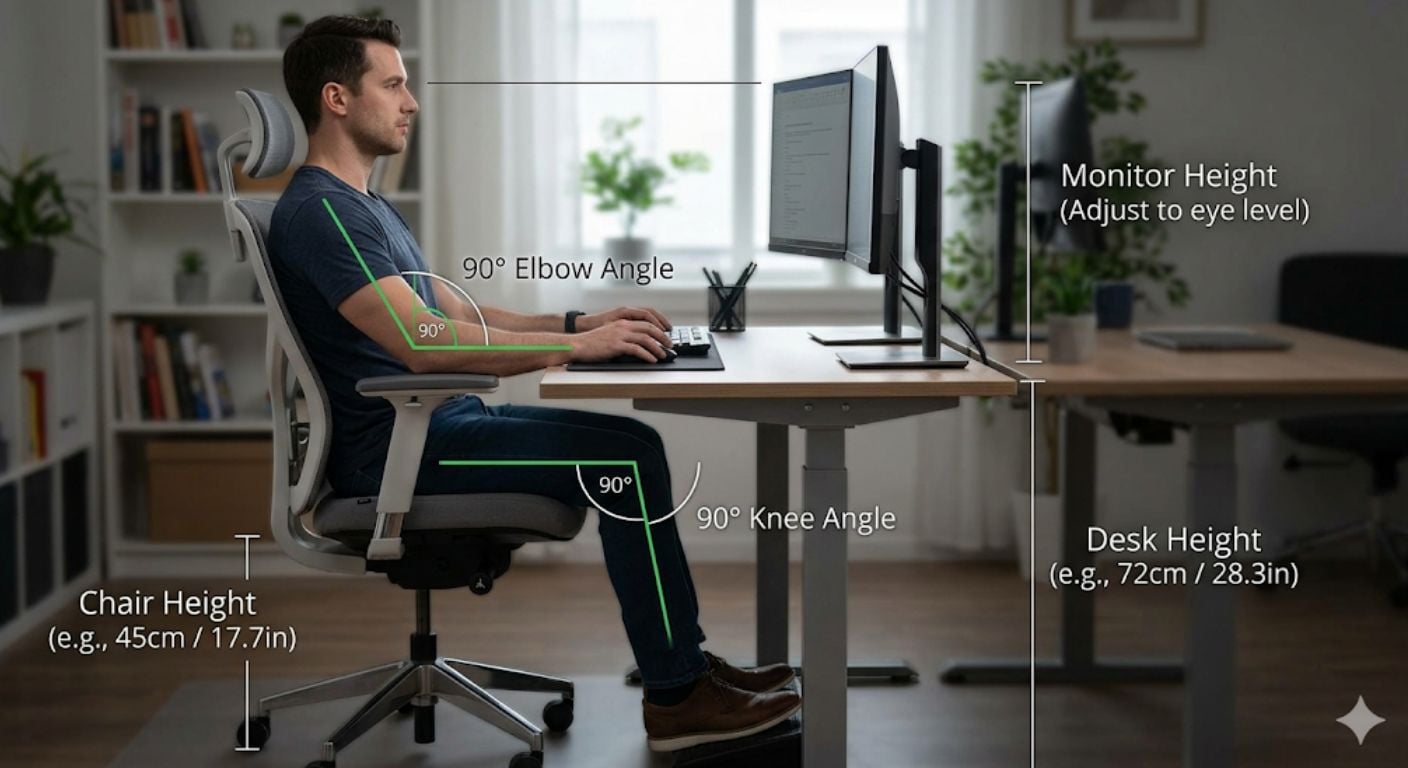
A proper desk chair height guide is really about keeping your body in a neutral working position. The goal is simple: feet flat on the floor, knees around 90 degrees, and elbows level with the desk surface without reaching upward.
This matters whether you work from home occasionally or spend full working days at a desk. Even a well-built chair becomes uncomfortable if the height relationship between the seat, desk, keyboard, and monitor is wrong.
For a broader posture framework, see our guide on office chair posture adjustments.
What Is the 90-90-90 Rule for Desk Seating?
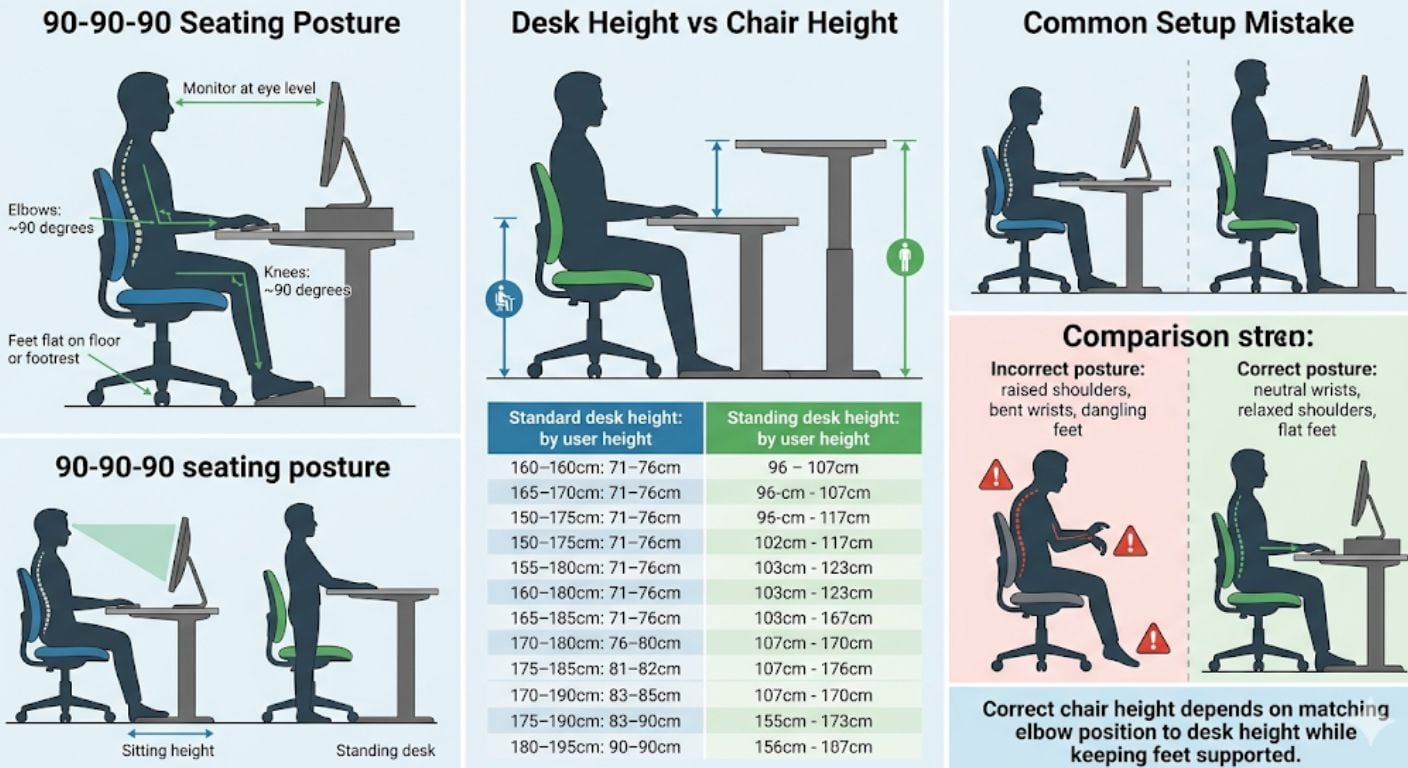
The 90-90-90 rule refers to three key joint angles: elbows at roughly 90 degrees, hips at roughly 90 degrees, and knees at roughly 90 degrees. Your forearms should stay close to parallel with the desk surface, while your shoulders remain relaxed rather than lifted.
This is not a rigid measurement system. Some people are slightly more comfortable at 95–100 degrees around the elbows or hips. The principle matters more than the exact number: neutral positioning reduces unnecessary strain through the neck, shoulders, wrists, and lower back.
One mistake people often make is adjusting the chair first without considering desk height. In reality, your desk usually dictates the final chair position.
Start With Desk Height First
Most standard desks sit between 71–76cm (28–30 inches) high. That works reasonably well for average-height users, but it is often too high for shorter users and occasionally too low for taller users.
Your desk height should allow:
- Elbows to stay level with the work surface
- Wrists to remain straight while typing
- Shoulders to stay relaxed
- Forearms to rest naturally without reaching upward
If your desk is fixed-height, your chair needs to adapt around it. If your chair rises high enough to match the desk but your feet leave the floor, a footrest usually solves the problem better than lowering the chair again.
The UK Health and Safety Executive provides useful workstation setup guidance for display screen equipment on the HSE website.
How to Adjust Your Chair to Match Desk Height
1. Sit Fully Back in the Chair
Your lower back should touch the backrest rather than sitting on the edge of the seat. This stabilises your pelvis and keeps measurements accurate.
2. Adjust Seat Height
Raise or lower the chair until:
- Elbows align with the desk surface
- Forearms sit roughly horizontal
- Wrists stay neutral while typing
If your shoulders lift while using the keyboard, the desk is effectively too high.
3. Check Your Feet
Your feet should sit flat on the floor without pressure under the thighs.
If they do not:
- Use a footrest
- Avoid dangling feet
- Avoid sitting cross-legged for long periods
4. Adjust Armrests Last
Armrests should lightly support the forearms without pushing the shoulders upward.
We regularly find our customers focus heavily on lumbar support while overlooking armrest height, but badly positioned armrests often create more shoulder tension than the backrest itself.
What If Your Desk Is Too High?
A high desk is one of the most common workstation problems, especially with fixed dining tables converted into home office setups.
Symptoms usually include:
- Raised shoulders
- Wrist pressure
- Elbow discomfort
- Neck tightness
- Leaning forward while typing
There are three practical fixes:
| Problem | Practical Solution |
|---|---|
| Chair too low for desk | Raise chair height |
| Feet no longer reach floor | Add a footrest |
| Keyboard position still too high | Add keyboard tray |
Many people lower the chair instead because it feels more stable initially, but this usually shifts strain into the wrists and shoulders instead.
Ideal Desk Height by User Height
These measurements are approximate starting points rather than exact rules.
| User Height | Approx Desk Height | Approx Chair Height |
|---|---|---|
| 5'2"–5'5" | 66–69cm | 40–46cm |
| 5'6"–5'9" | 69–73cm | 43–50cm |
| 5'10"–6'1" | 72–76cm | 46–53cm |
| 6'2"+ | 75–80cm | 50–56cm |
For someone around 5'11", a seated desk height around 72–74cm usually works well, combined with a chair height that allows elbows to stay level with the keyboard while feet remain planted.
The adjustment range matters more than the starting measurement. This is why adjustable office seating tends to work better across shared home workspaces.
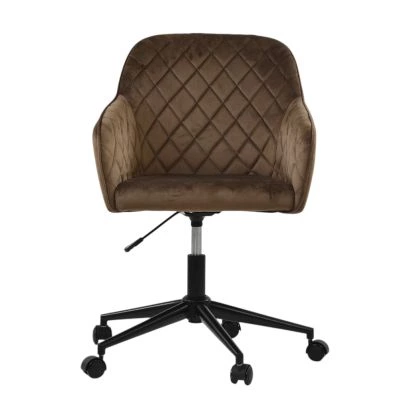
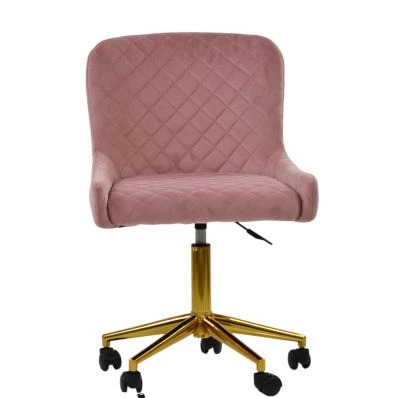
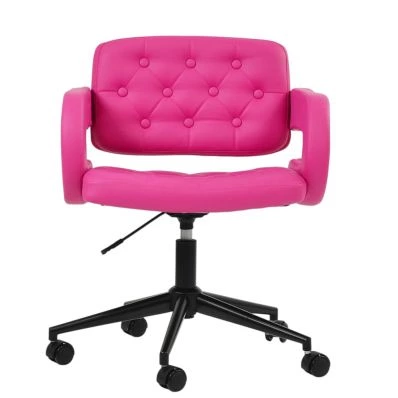
You can browse adjustable models within our office chair collection.
Monitor Height Still Affects Chair Position
People often correct seat height but ignore monitor position. That usually creates forward head posture even when the chair itself is properly adjusted.
Your monitor should generally sit:
- Around arm's length away
- With the top of the screen roughly at eye level
- Slightly lower if you wear bifocals
Bifocal users often benefit from lowering the monitor by around 2–5cm to reduce neck extension.
If the screen sits too low, users tend to lean forward. If it sits too high, the neck tilts upward throughout the day.
Do You Need a Height-Adjustable Desk?
Not always. A standard fixed desk works well if:
- The height matches your body reasonably closely
- Your chair has enough adjustment range
- Your feet stay supported
- Your elbows remain level while typing
Height-adjustable desks become more useful when:
- Multiple people share the workspace
- You alternate between sitting and standing
- You are significantly taller or shorter than average
- Your current desk forces shoulder elevation
Standing desk height usually lands around 96–107cm (38–42 inches) depending on user height.
Signs Your Chair Height Is Wrong
Your chair may be too low if:
- Knees sit higher than hips
- You lean forward constantly
- Your wrists angle upward
- Your lower back rounds
Your chair may be too high if:
- Feet dangle
- Pressure builds under thighs
- Shoulders rise while typing
- You slide forward in the seat
The correct position should feel neutral rather than forced. You should not need to consciously “hold posture” throughout the day.
Small Adjustments Matter More Than Expensive Features
Many posture problems come from setup rather than chair quality alone.
A well-adjusted mid-range chair often performs better than an expensive chair used incorrectly. Features that genuinely help include:
- Reliable seat height adjustment
- Adjustable armrests
- Stable lumbar positioning
- Proper seat depth
- Smooth recline movement
If discomfort persists after setup changes, our guide on office chair features that help with back pain breaks down which adjustments matter most.
FAQ
What is the standard desk height?
Most standard desks measure between 71–76cm (28–30 inches) high. This works for many average-height users, but it is not universally ergonomic. Shorter users often need a lower desk or a footrest setup to maintain proper elbow and shoulder positioning.
How do I know if my desk is too high?
Your desk is probably too high if your shoulders lift while typing, your wrists bend upward, or your elbows sit noticeably below the keyboard surface. Neck tension and shoulder tightness are also common signs.
Should elbows be exactly 90 degrees?
Not necessarily. Around 90 degrees is a good starting point, but slight variation is normal. The priority is keeping the shoulders relaxed and wrists neutral rather than forcing a mathematically exact angle.
What if my feet do not touch the floor after raising my chair?
Use a footrest rather than lowering the chair again. Lowering the chair usually compromises elbow and wrist positioning. Stable foot support helps maintain circulation and reduces pressure under the thighs.
Are standing desks better for posture?
Standing desks can help reduce static sitting time, but they are not automatically better. Poor standing posture still causes strain. Alternating between sitting and standing usually works better than remaining in one position all day.

Final Thoughts
Proper desk seating is mostly about alignment rather than complicated ergonomics. If your elbows, shoulders, hips, and knees work in balance together, long periods at a desk become noticeably more comfortable.
The biggest improvement usually comes from correcting the relationship between chair height and desk height rather than replacing everything immediately.
For broader workstation guidance, read our complete guide to office chair posture and setup, or browse our range of adjustable office chairs designed for home working and everyday desk use.


Comments