
 Chat with us on WhatsApp

Office Chair for Back Pain: What Features Actually Help (And Which Don’t)
Back pain is one of the main reasons people replace their office chair, but many chairs marketed as “ergonomic” still fail to solve the problem. In most cases, the issue is not a single feature. It is how the chair supports posture over several hours of sitting.
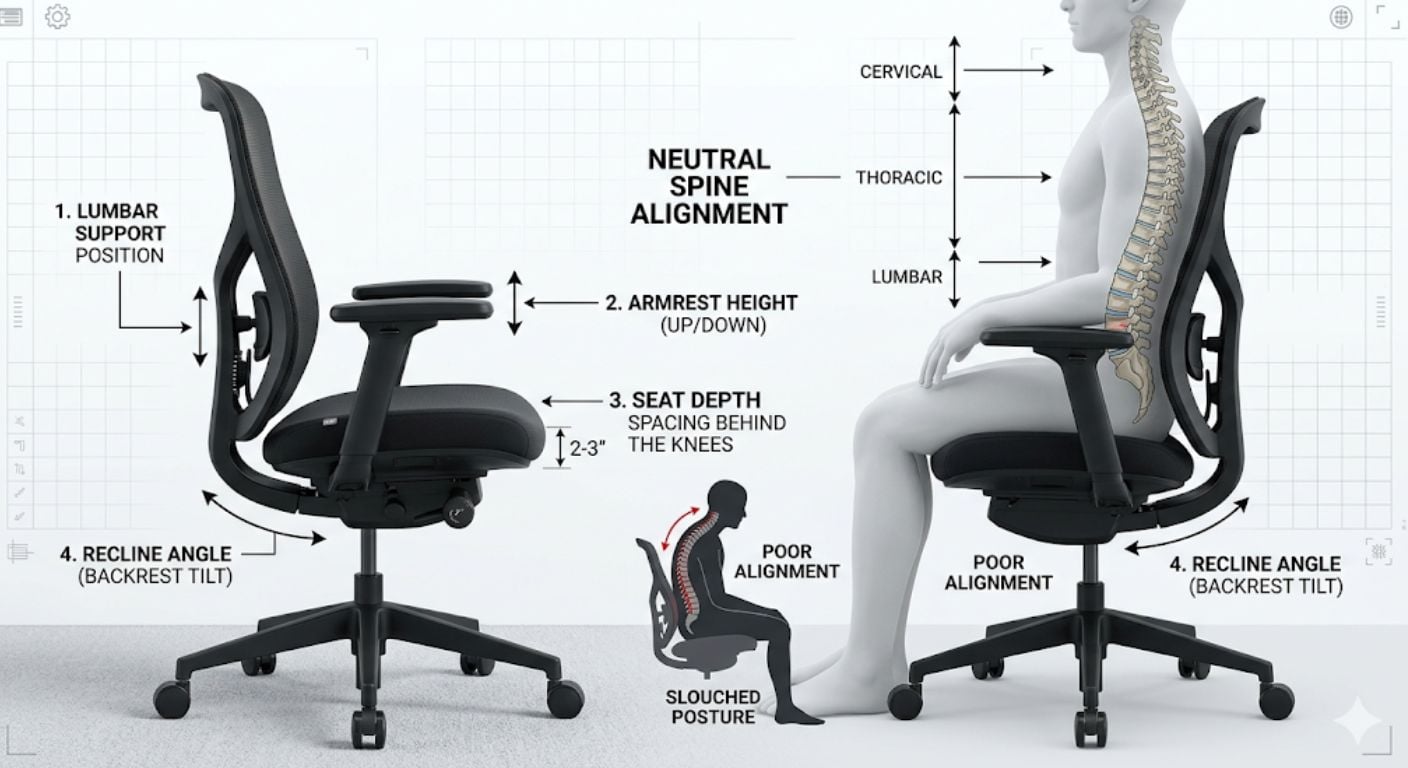
A good office chair for back pain should help maintain the natural curve of the spine, reduce pressure through the lower back and hips, and allow small posture changes throughout the day. Features like adjustable lumbar support, seat depth control, and armrest positioning matter far more than thick padding or high-back styling alone.
This article focuses on the features that genuinely improve comfort and support during desk work, along with the common features that are often oversold. For a broader guide to posture and workstation setup, see our guide to office chair posture and adjustment.
What Actually Causes Back Pain When Sitting?
Back pain while working at a desk usually comes from prolonged compression and poor spinal positioning rather than sitting itself. When a chair encourages slouching, the spine gradually shifts from its natural “S” shape into a rounded “C” position.
This typically creates pressure in three areas:
- Lower back compression
- Tight hip flexors and pelvis rotation
- Increased pressure through the neck and shoulders
Sitting for long periods without movement also reduces circulation and increases muscle fatigue. According to the NHS guidance on seating and ergonomics, regular posture changes and supportive seating both play an important role in reducing strain during desk work. NHS seating and ergonomics guidance
A chair alone will not “fix” back pain, but the wrong chair can absolutely make it worse.
Which Office Chair Features Matter Most for Back Pain?
Not every ergonomic feature has the same impact. Some directly affect spinal alignment and pressure distribution. Others add very little beyond marketing value.
Adjustable Lumbar Support
Lumbar support is one of the most important features for lower back comfort because it supports the inward curve of the lumbar spine instead of allowing the pelvis to roll backwards.
The most useful lumbar systems allow adjustment in:
- Height
- Depth or firmness
- Tension
Fixed lumbar pads often work poorly because spinal shape varies significantly between users.
We regularly find our customers focus heavily on seat padding at first, but after long-term use the feature they notice most is whether the lumbar support lines up correctly with their lower back.
If the support presses too high, it can push the ribs forward and create upper-back tension. Too low, and the pelvis still rolls backwards into a slouched position.
Where Should Lumbar Support Be Positioned?
Lumbar support should normally sit around 3–4 inches above the seat cushion, aligning with the natural inward curve of the lower spine near the L3–L4 vertebrae area. When positioned correctly, it supports upright posture without forcing the back forward unnaturally.
| Lumbar Position | Common Signs | Quick Fix |
|---|---|---|
| Too High | Pressure near ribs or shoulder tension | Lower the lumbar support |
| Too Low | Slouching or tailbone pressure | Raise the lumbar support |
| Correct Position | Neutral upright posture with less strain | Fine-tune depth or firmness |
If you need a deeper breakdown of lumbar systems and adjustment types, see our guide explaining lumbar support and back support features.
Why Seat Depth Matters More Than Most People Expect
Seat depth affects how body weight is distributed across the thighs and pelvis. If the seat is too short, more pressure shifts into the lower back. If it is too deep, the front edge pushes behind the knees and restricts circulation.
A properly adjusted seat depth should leave roughly:
- 5–8cm between the seat edge and the back of the knees
- Full thigh support without pressure points
This becomes especially important for:
- Taller users
- People with sciatica symptoms
- Anyone sitting for 6+ hours daily
Seat sliders are particularly useful because they allow the chair to fit different leg lengths properly rather than forcing a single fixed position.
Are Mesh Office Chairs Better for Back Pain?
Mesh chairs can work very well for back pain, but only if the frame and support structure are properly designed.
The main advantages of mesh are:
- Better airflow
- More consistent pressure distribution
- Reduced heat build-up during long sitting sessions
However, some low-cost mesh chairs stretch excessively over time and lose structured support through the lumbar region.
Fabric and foam chairs can still provide excellent support if the foam density and internal frame are strong enough. Material alone does not determine ergonomics.
If you are comparing chair materials more broadly, our guide on mesh vs leather office chairs explains the practical differences in breathability, maintenance, and long-session comfort.
While the upholstery material affects comfort and temperature, it is only one part of the overall ergonomic design. The chair's adjustability, lumbar support, seat dimensions, and backrest shape usually have a much greater influence on long-term comfort than the covering itself. Our guide to buying an ergonomic office chair: what you should know explains which ergonomic features are most important and how to choose a chair that provides the right level of support for your working routine.
Can a Bad Office Chair Cause Sciatica?
Yes. A poorly designed office chair can contribute to sciatica symptoms by increasing pressure around the lower spine, hips, and sciatic nerve pathway.
The two most common sitting-related causes are:
- Compression through the lower spine from poor posture
- Pressure around the piriformis muscle in the buttocks
For people dealing with sciatica, the most useful chair features are usually:
- Adjustable lumbar support
- Seat depth adjustment
- Stable recline support
- Pressure-relieving seat cushioning
Very soft seats are not always helpful because they can increase pelvis instability during long sitting periods.
Which Features Are Often Overrated?
Some features sound impressive in product descriptions but have limited impact on actual back support.
Thick Padding
More foam does not automatically improve comfort. Extremely soft seats often compress unevenly and reduce posture stability over time.
Headrests
Headrests are useful during reclining or short rest periods, but they contribute very little to lower back support during active desk work.
High Back Designs Without Adjustability
A tall backrest alone does not improve ergonomics. Without adjustable lumbar positioning and proper seat dimensions, many high-back chairs still encourage poor posture.
Fixed Armrests
Armrests only help if they support the elbows without lifting the shoulders. Fixed-height arms often force awkward shoulder positioning depending on desk height.
For more detail on practical adjustment features, our article on adjusting an office chair for maximum comfort covers how these settings work together.
How Long Should a Good Office Chair Last?
A well-built ergonomic office chair should typically last between 10 and 15 years with regular daily use. Lower-cost chairs often begin to lose support structure, foam density, or gas lift stability within 18–24 months.
This matters because worn support systems usually affect posture gradually rather than failing suddenly.
Higher-quality chairs tend to include:
- Stronger internal frames
- Denser foam
- More reliable adjustment mechanisms
- Replaceable components
For buyers considering long-term value, refurbished premium chairs can sometimes provide better ergonomic performance than buying a new low-budget chair with limited adjustability.
What Makes Sense for Different Types of Users?
For Lower Back Pain
Prioritise:
- Adjustable lumbar support
- Stable recline support
- Seat depth adjustment
Avoid:
- Deep bucket seats
- Fixed lumbar pads
For Sciatica Symptoms
Prioritise:
- Pressure-relieving seat foam
- Adjustable seat depth
- Upright pelvic positioning
Avoid:
- Very soft cushions
- Seats with aggressive forward tilt
For Taller Users
Prioritise:
- Higher backrests
- Larger seat depth range
- Wider adjustment range overall
Avoid:
- Compact task chairs with shallow seats
For Long Daily Sitting
Prioritise:
- Dynamic movement support
- Breathable materials
- Multiple adjustment points
Avoid:
- Basic fixed-position chairs marketed only on appearance
You can browse our range of ergonomic office chairs if you are comparing adjustment features across different chair types.
Frequently Asked Questions
Can lumbar support make back pain worse?
Yes, if it is positioned incorrectly. Lumbar support that sits too high or pushes too aggressively into the spine can create pressure and muscle tension. Adjustable lumbar systems are usually more effective because they allow fine-tuning for different body shapes.
Is a soft office chair better for back pain?
Not always. Very soft seats often reduce posture stability and increase pelvis movement during long sitting sessions. Medium-firm support usually performs better for extended desk work because it distributes pressure more evenly.
Are expensive office chairs worth it?
Higher-priced chairs generally offer better adjustment range, stronger components, and more durable support systems. The value depends on how many hours the chair is used daily. For full-time desk work, improved support and durability can justify the higher cost over time.
Should you recline slightly while working?
A slight recline can reduce spinal compression compared with sitting perfectly upright all day. The key is controlled movement rather than leaning heavily backwards for extended periods.
Can an office chair completely fix back pain?
No. A chair can reduce strain and improve sitting posture, but movement, desk setup, and overall sitting habits still matter. Even a highly adjustable chair cannot fully compensate for sitting still for long periods without breaks.
-
-

-
-
-
-
-
-
-
-
-
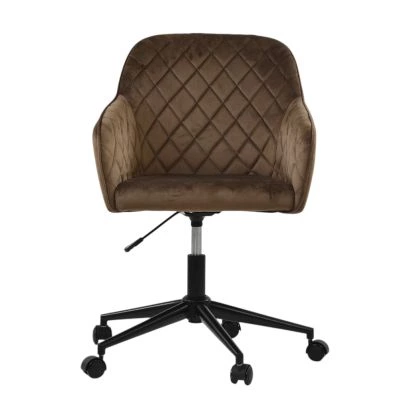
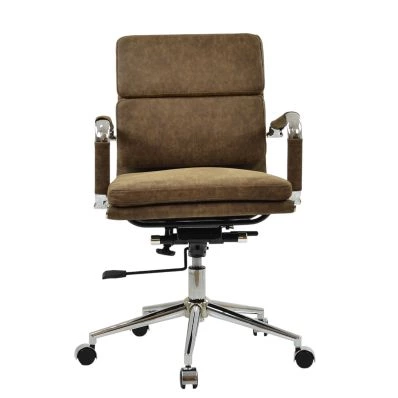 Chester Office Chair in Aged Brown LeatherSpecial Price £129.99 Regular Price £179.99 Original price 28% Inc VATSaving £50
 -
Final Thoughts
The most effective office chair features for back pain are usually the least flashy: adjustable lumbar support, proper seat depth, stable recline support, and enough adjustability to fit your body correctly.
Thick padding and oversized designs often matter less than posture alignment and pressure distribution during daily use.
If you are reviewing chair options more broadly, our guide to office chair posture and adjustment explains how seating position, desk setup, and chair settings work together. You can also compare models within our ergonomic office chair range when narrowing down suitable features.


Comments