
 Chat with us on WhatsApp

Office Chair Posture: How to Adjust and Sit Correctly
Office chair posture is not just about sitting up straight. It is about setting your chair, desk, screen and body position so they work together. If one part is wrong, the rest of your posture usually compensates. A chair set too low can lift your shoulders. A seat that is too deep can stop your back from using the backrest properly. A screen in the wrong position can pull your head and neck forward.
This guide explains how to sit correctly in an office chair, how to check your working position, and which chair adjustments matter most. It is designed to help you reduce strain, avoid common setup mistakes, and understand what to look for when comparing office chairs for a home office or light-use workspace.
What Good Office Chair Posture Looks Like
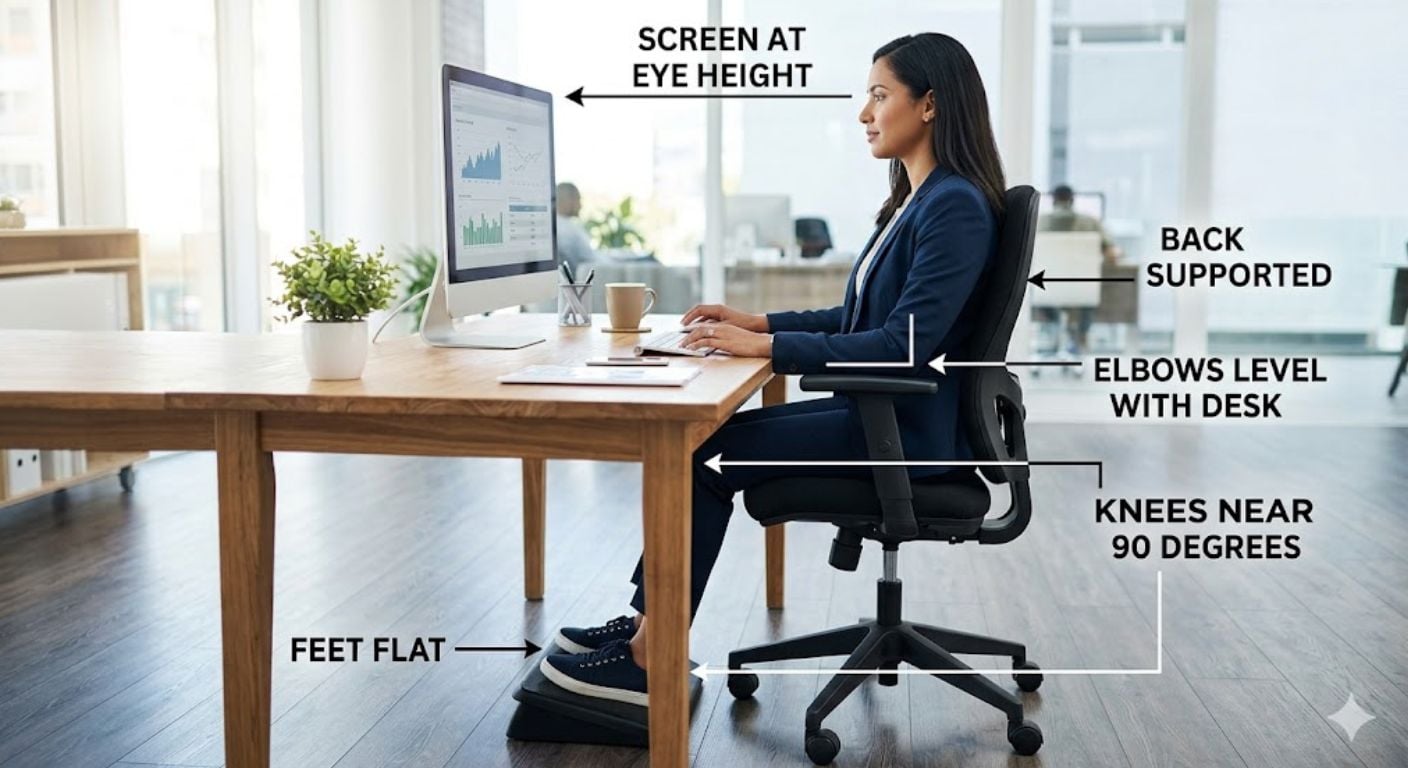
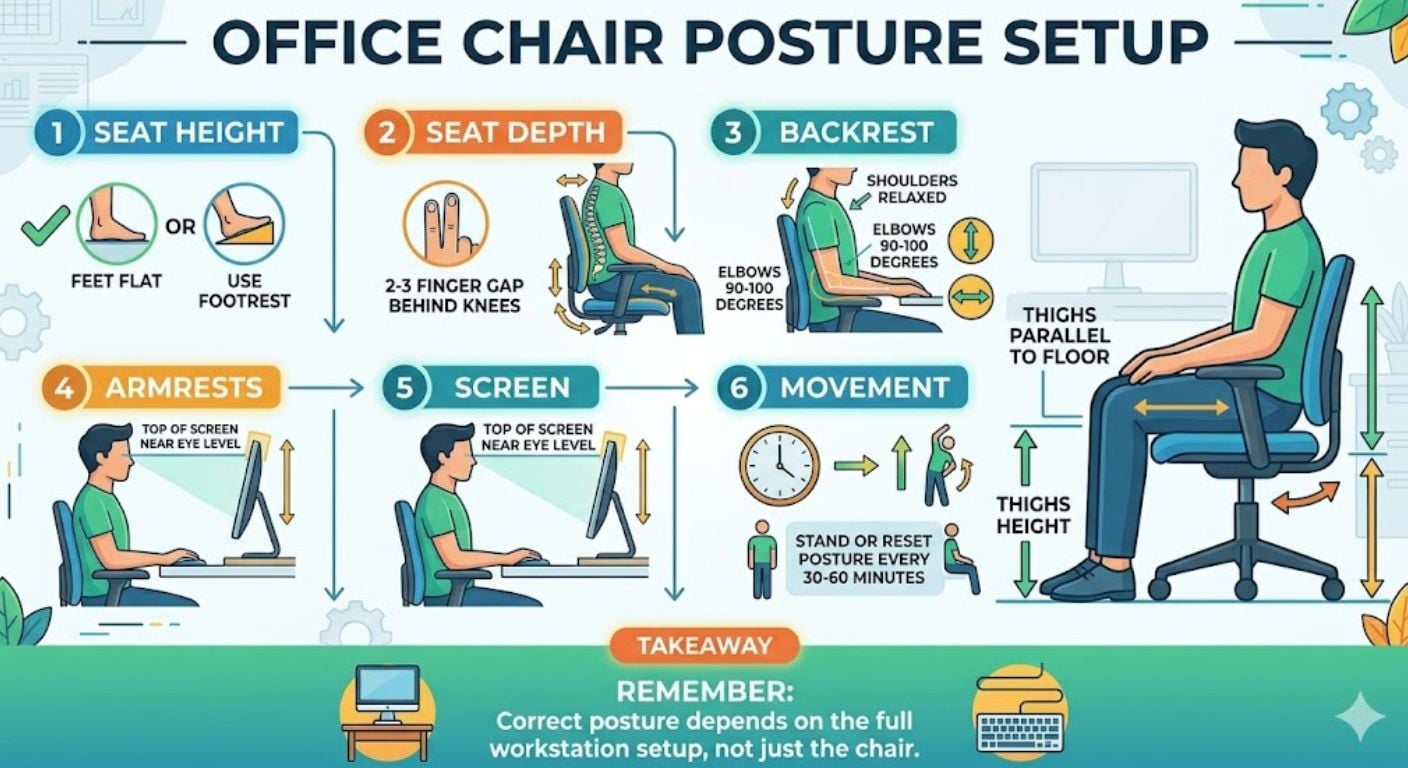
Good office chair posture means your body is supported without forcing you into a stiff position. Your feet should be stable, your elbows should sit close to desk height, your lower back should meet the backrest, and your screen should be positioned so your head stays level.
A useful starting point is the feet, elbows, back and eyes check:
- Feet: flat on the floor or supported by a footrest.
- Knees: usually close to a right angle, with thighs supported.
- Back: resting against the backrest, not hovering forward.
- Elbows: relaxed near your sides, usually around 90 to 100 degrees.
- Wrists: straight and level when typing or using a mouse.
- Eyes: looking slightly downward or level at the main screen area.
The aim is not to sit perfectly still. A good chair setup should make correct posture easier, but you still need to move, change position and take short breaks throughout the day.
Start With Seat Height
Seat height is usually the first adjustment to check because it affects your arms, shoulders, feet and desk position. If the chair is too low, your elbows may sit below the desk and your shoulders may lift. If the chair is too high, your feet may hang or your thighs may press into the front edge of the seat.
For most adults, the correct seat height allows:
- Feet flat on the floor or supported by a footrest.
- Knees bent at roughly 90 degrees.
- Thighs level or angled very slightly downward.
- Elbows close to desk height when shoulders are relaxed.
If your chair height works for your legs but not for your desk, prioritise your arm and shoulder position, then use a footrest if needed. This is common with fixed-height desks that sit slightly too high for the user.
For a deeper guide on this specific adjustment, read our desk chair height guide.
Check Your Feet and Leg Position
Your feet need stable support. If they do not reach the floor properly, your lower body has to compensate. This can lead to pressure under the thighs, twisting at the hips, or sliding forward in the chair.
A correct leg position usually means:
- Both feet are flat and evenly supported.
- Your weight is spread across both hips.
- Your knees are not much higher than your hips.
- The front edge of the seat is not pressing into the back of your knees.
If the desk is too high and your feet do not touch the floor once the chair is raised, use a footrest. Do not lower the chair just to reach the floor if that causes your shoulders to lift when typing.
Set the Seat Depth Correctly
Seat depth is the distance from the backrest to the front edge of the seat. It matters because it controls whether your lower back can use the backrest while your legs remain comfortable.
A simple rule is to leave around two to three fingers of space between the front edge of the seat and the back of your knees. If the gap is too small, the seat may press into your legs. If the gap is too large, your thighs may not be properly supported.
Seat depth problems are common when a chair is too large for the user. We often find that customers focus on overall chair height first, but seat depth is the detail that decides whether they can actually sit back into the chair comfortably.
If your chair has a seat slide, adjust it until your back rests against the backrest without pressure behind your knees. If your chair does not have this feature, check the seat dimensions before buying.
Use the Backrest Properly
The backrest should support your spine while still allowing normal movement. Sitting on the front edge of the chair for long periods removes most of the benefit of the backrest and often causes the shoulders and neck to move forward.
To use the backrest properly:
- Sit fully back into the chair.
- Keep your hips close to the backrest.
- Allow the lower back to meet the chair support.
- Avoid perching forward unless you are briefly changing position.
The backrest angle does not need to be completely upright. A slight recline can reduce pressure through the spine, provided you can still reach the keyboard, mouse and desk without leaning forward.
Position Your Lower Back Support
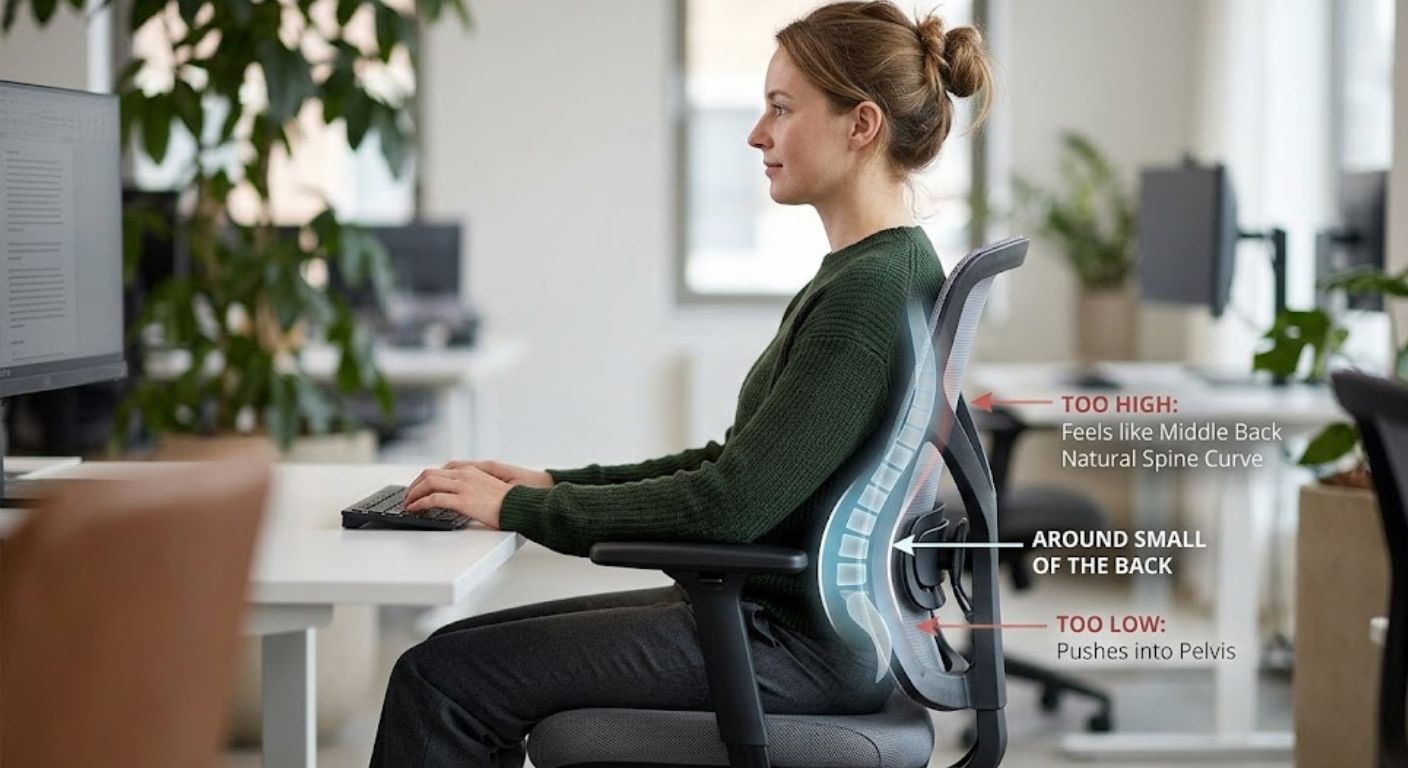
Lower back support should meet the natural curve of your lower spine. If it is too low, it can push into the pelvis. If it is too high, it may feel like pressure in the middle of the back instead of support.
For most users, the support should sit around the small of the back. You should feel supported, not forced forward.
If your chair has adjustable back support, move it gradually rather than making large changes. Sit back, check where the pressure sits, then adjust again if needed. If your chair does not have adjustable support, a separate cushion may help, but it should not push you so far forward that the seat depth becomes too short.
For more detail on chair support features, see our guide to back support in office chairs.
Adjust Armrests Without Lifting Your Shoulders
Armrests should support your arms without pushing your shoulders upward. If they are too high, your neck and shoulders can become tense. If they are too low, they may not support your arms at all.
The best armrest position usually allows:
- Shoulders relaxed.
- Elbows close to the body.
- Forearms lightly supported.
- Wrists straight when typing or using the mouse.
If armrests stop you from getting close enough to the desk, they may do more harm than good. In that case, either lower them, move them back if adjustable, or choose a chair with removable or narrower arms.
For a more detailed chair setup process, read our guide on desk chair height, armrests and screen position.
Set Your Screen at the Right Height
Your screen position affects your neck and upper back. If the screen is too low, your head may drop forward. If it is too high, your chin may lift and your neck may extend.
For most desktop screens:
- The top of the screen should be around eye level.
- The screen should usually sit about an arm’s length away.
- Your head should stay level, not pushed forward.
- Your main screen should sit directly in front of you.
If you use varifocals or bifocals, you may need the screen slightly lower than standard guidance so you can view it without tipping your head back.
The UK Health and Safety Executive gives practical guidance on workstation posture and display screen equipment, including chair, desk and screen positioning: HSE display screen equipment guidance.
Keep Keyboard and Mouse Position Simple
Your keyboard and mouse should sit close enough that you can use them without reaching. Reaching forward repeatedly often pulls the shoulders away from the backrest and encourages a rounded upper back.
A good setup usually means:
- Keyboard directly in front of you.
- Mouse close to the keyboard.
- Wrists straight rather than bent upward.
- Elbows relaxed near your sides.
- Desk surface clear enough to avoid awkward reaching.
If you use a laptop for long periods, use a separate keyboard and mouse where possible. Raising the laptop screen alone is not enough if it leaves the keyboard too high or too far away.
Do Not Sit in One Position All Day
Even a well-adjusted chair cannot remove the need for movement. Static sitting is one of the main reasons a position that feels correct in the morning can become uncomfortable later in the day.
Build movement into your working day:
- Stand up briefly every 30 to 60 minutes.
- Change your sitting angle during the day.
- Reset your shoulders when you notice tension.
- Check whether you are sliding forward in the chair.
- Avoid holding the same twisted position while on calls.
Movement does not need to be complicated. Short, regular changes usually help more than trying to hold one “perfect” sitting position for hours.
Common Office Chair Posture Mistakes
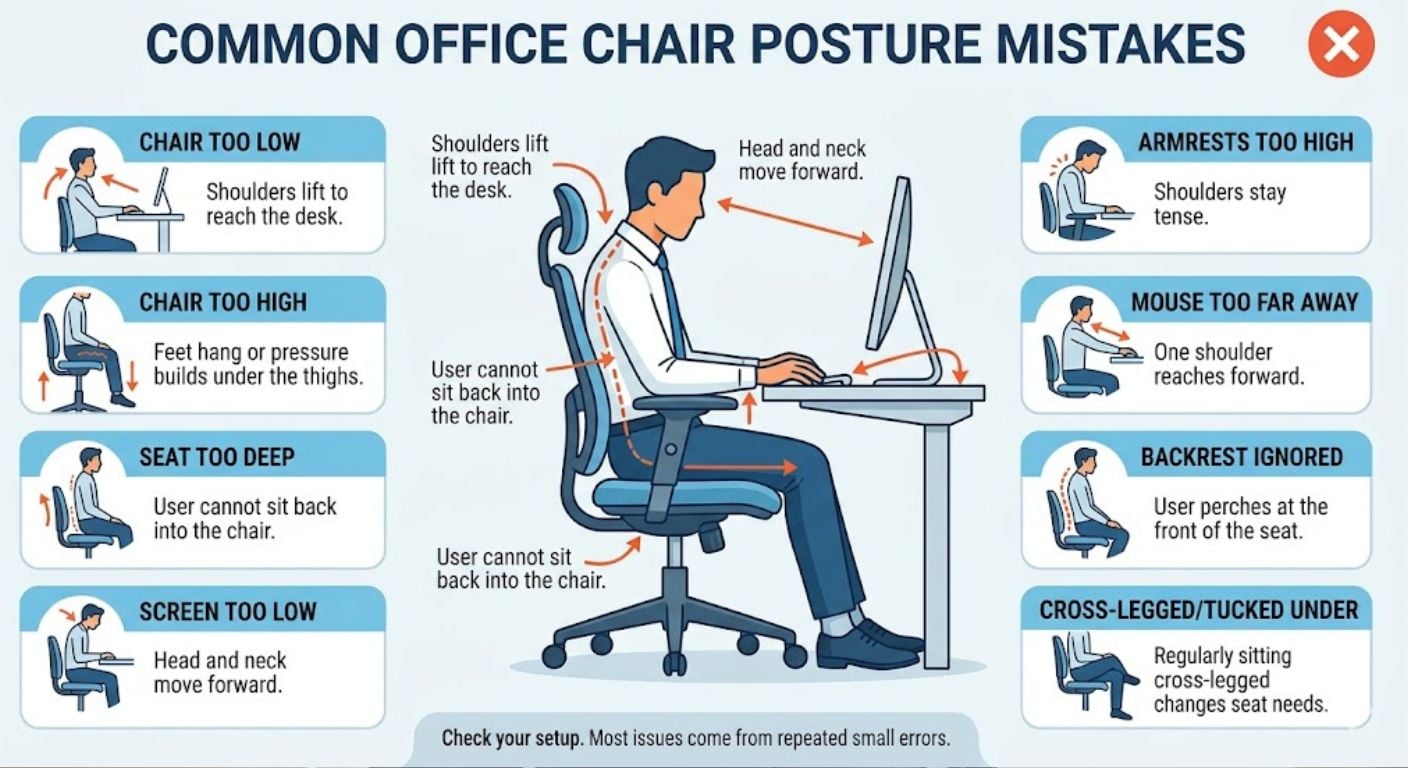
Most posture issues come from small setup errors repeated over time. These are the most common problems to check first:
- Chair too low: shoulders lift to reach the desk.
- Chair too high: feet hang or pressure builds under the thighs.
- Seat too deep: user cannot sit back into the chair.
- Screen too low: head and neck move forward.
- Armrests too high: shoulders stay tense.
- Mouse too far away: one shoulder reaches forward.
- Backrest ignored: user perches at the front of the seat.
If you regularly sit cross-legged or tucked under yourself, it may be worth reading our guide on sitting cross-legged at a desk. That sitting style changes what seat width, depth and support features matter.
Office Chair Posture Decision Guide
Use these checks to work out what needs changing:
- If your shoulders feel raised, your chair may be too low or your armrests may be too high.
- If your feet do not reach the floor, raise your working setup correctly and add a footrest.
- If your lower back does not touch the chair, check seat depth and backrest position.
- If your neck leans forward, raise or move your screen closer.
- If your wrists bend upward, check desk height, keyboard position and chair height.
- If you slide forward in the chair, the seat may be too deep, too high, or angled incorrectly.
- If you work long hours, prioritise adjustability, seat comfort and back support over appearance alone.
If you are comparing chairs for a home office, start with the practical features first: adjustable height, suitable seat depth, supportive backrest, comfortable seat width and arms that fit your desk. You can browse Lakeland’s full range of office chairs once you know which features matter for your setup.
Choosing an Office Chair for Better Posture
A chair does not “fix” posture by itself, but the wrong chair can make good posture harder. The right chair should fit your body size, desk height and daily use.
Look for:
- Height adjustment so your elbows and desk position can line up.
- Suitable seat depth so your back can reach the backrest.
- A supportive backrest that meets your lower back.
- Armrests that fit under or near the desk without lifting your shoulders.
- A stable base suited to your flooring and working style.
- Enough seat width to sit naturally without feeling restricted.
If you are choosing for a smaller workspace, check the overall width and whether the arms will slide under the desk. If you are choosing for longer working days, give more weight to adjustability and support. If you need help comparing chair types, our guide on how to choose an office chair explains the main decision points.
Frequently Asked Questions
What is the correct posture for sitting in an office chair?
The correct posture is a supported, neutral position. Keep your feet flat or supported, sit back into the chair, keep your elbows close to desk height, and position your screen so your head stays level. Your back should use the backrest rather than hovering forward.
How should I adjust my office chair for posture?
Start with seat height, then check your feet, seat depth, backrest, armrests and screen position. Your chair should let you sit back with relaxed shoulders, supported feet and straight wrists. For a more detailed setup process, see our office chair adjustment guide.
Should my feet be flat on the floor?
Yes, your feet should be flat on the floor or supported by a footrest. If your desk is high, raise the chair to protect your arm and shoulder position, then use a footrest to support your feet instead of lowering the chair too far.
How far back should I sit in my office chair?
You should sit far enough back that your lower back can use the backrest. Avoid perching on the front edge for long periods. If you cannot sit back without pressure behind your knees, the seat may be too deep for you.
Where should my screen be for good posture?
Your screen should usually sit directly in front of you, about an arm’s length away, with the top of the screen around eye level. If you wear varifocals or bifocals, a slightly lower screen position may be more comfortable.
Are armrests good or bad for posture?
Armrests are useful when they support your arms without lifting your shoulders. They become a problem if they are too high, too wide, or stop you from sitting close enough to the desk. Adjustable or removable arms give more flexibility.
Can a chair improve bad posture?
A chair can support better posture, but it cannot do all the work. It needs to fit your body and desk setup. You also need to sit back properly, keep your screen and keyboard positioned well, and move regularly during the day.
What should I do if my desk is too high?
Raise your chair until your elbows and desk height work together, then use a footrest if your feet no longer reach the floor. Do not sit too low just to keep your feet flat, as this often causes raised shoulders and wrist strain.
-
-
-
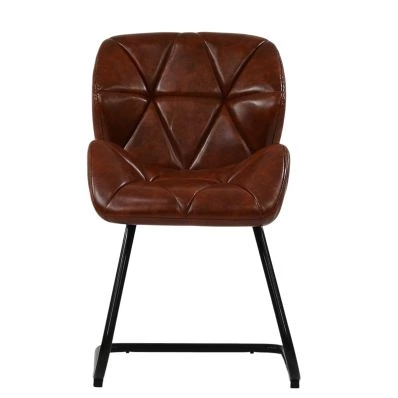
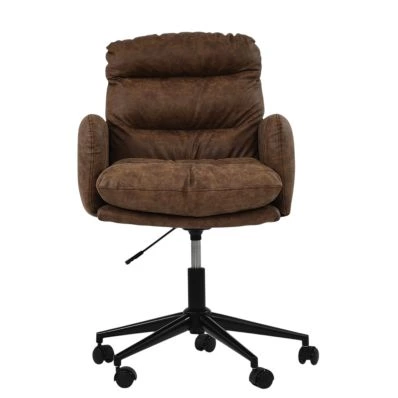
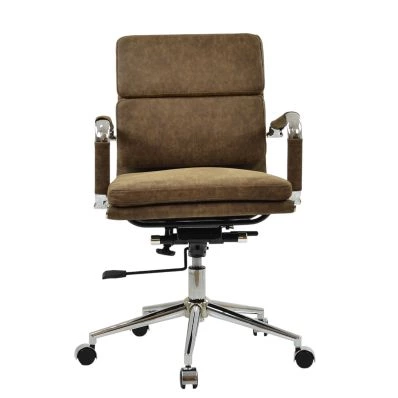 Chester Office Chair in Aged Brown LeatherSpecial Price £119.99 Regular Price £179.99 Original price 33% Inc VATSaving £60
 -
-
-
-
-
-
-
-
-
Structured Summary
- Set chair height so your elbows sit close to desk height with relaxed shoulders.
- Keep both feet flat on the floor or supported by a footrest.
- Leave around two to three fingers of space behind your knees.
- Sit back into the chair so your lower back can use the backrest.
- Keep the screen directly in front of you, usually around arm’s length away.
- Keep keyboard and mouse close enough to avoid reaching.
- Move regularly instead of holding one static position all day.
- Avoid choosing a chair on appearance alone if you use it for regular desk work.
The right office chair setup should make good posture easier, not force you into a rigid position. Once you know your desk height, body size and working habits, it becomes much easier to choose an office chair that supports the way you actually sit.


Comments