
 Chat with us on WhatsApp

Best Chair for Long Hours at a Desk
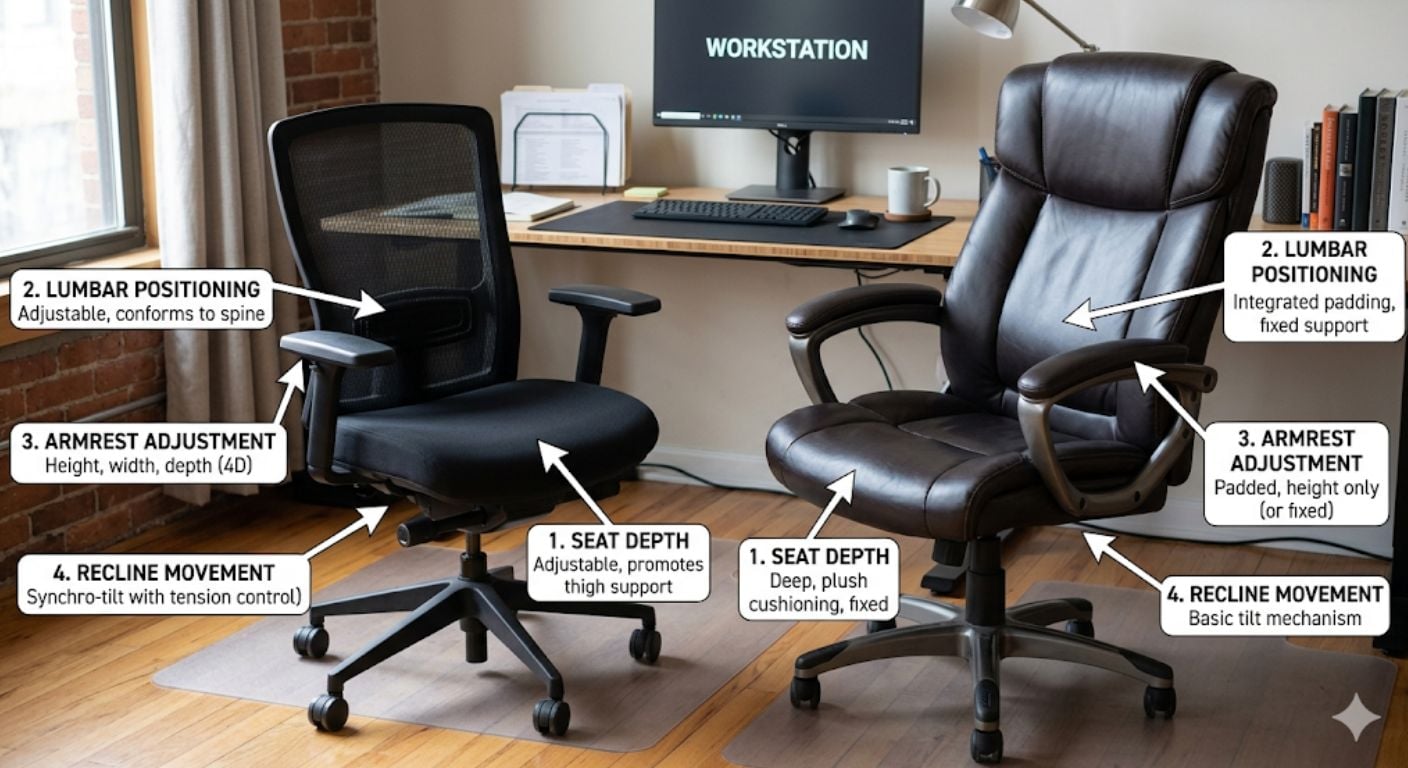
Sitting at a desk for 8+ hours exposes problems that short-term seating can hide. A chair that feels acceptable for 30 minutes can become uncomfortable after several hours if the seat depth is wrong, the armrests sit too high, or the backrest lacks proper support. Over time, poor seating often leads to stiffness, pressure points, shoulder tension, and reduced concentration.
The best chair for long hours at a desk is not defined by price alone. It depends on how well the chair supports your body size, working posture, desk setup, and daily usage time. Features that matter for occasional use are not always the same features that matter during full-day sitting.
This guide explains which office chair features actually matter during extended desk work, which specifications are worth paying for, and how to avoid common buying mistakes. It also covers 24-hour seating, mesh vs padded materials, adjustment priorities, and how to choose the right chair for different body types and working environments.
For broader options, you can browse Lakeland’s office chair range here:
https://www.lakeland-furniture.co.uk/office-chairs
What Makes a Chair Suitable for Long Hours?
A chair designed for extended sitting needs to support movement, posture variation, circulation, and pressure distribution over time. The key difference between short-use seating and long-hour seating is endurance.
The most important features are:
- Adjustable seat height
- Correct seat depth
- Stable lumbar positioning
- Supportive backrest shape
- Adjustable armrests
- Pressure-distributing seat foam
- A reclining mechanism that allows movement
Most discomfort during long desk sessions comes from static positioning rather than sitting itself. Chairs that encourage small posture changes throughout the day usually perform better than rigid fixed-position seating.
Cheap chairs often fail in three predictable ways:
- Seat foam compresses quickly
- Armrests loosen or wobble
- Back support becomes inconsistent over time
This creates the “cheap chair cycle” many buyers experience, where a low-cost chair needs replacing every 12–18 months.
The Most Important Office Chair Features for All-Day Use
Seat Depth
Seat depth affects circulation and thigh support more than most buyers realise.
A seat that is too shallow creates concentrated pressure beneath the thighs. A seat that is too deep pushes into the backs of the knees and forces users to lean forward.
As a general rule:
- You should be able to sit fully back in the chair
- There should still be roughly 5cm clearance behind the knees
If multiple people use the chair, seat slide adjustment becomes particularly useful.
For a deeper breakdown of seat depth and support positioning, see:
Our handy guide here
Lumbar Positioning
Long sitting periods place continuous stress on the lower back. Good lumbar positioning helps maintain a more neutral spinal posture without forcing the user upright unnaturally.
The best systems allow some adjustment in:
- Height
- Firmness
- Depth
Integrated fixed lumbar shapes can work well if they naturally align with the user’s back shape, but adjustable systems suit more people overall.
The NHS also recommends regular movement and posture variation during prolonged sitting rather than remaining static all day.
For a full explanation of support systems and posture mechanics, see:
Our lumbar support guide
Armrests
Armrests are frequently overlooked, but poor positioning often causes shoulder tension and wrist strain during keyboard use.
For long desk sessions, adjustable arms are usually worth prioritising.
Useful adjustment types include:
- Height adjustment
- Width adjustment
- Pivoting arm pads
- Forward/back movement
4D armrests are typically found on higher-end ergonomic chairs and provide the widest positioning range.
One thing our customers often notice after switching from fixed arms is how much less shoulder fatigue they experience during longer typing sessions.
Recline & Movement
Good office chairs are designed to move with the user rather than hold them rigidly upright.
Slight recline during reading, calls, or meetings reduces spinal compression compared to static upright sitting.
Synchro-tilt systems are common in better-quality chairs because the seat and backrest move together in a more natural ratio.
Movement matters because the body tolerates varied positions better than a single locked posture.
Seat Cushioning
Seat comfort during long sessions is more about pressure distribution than softness.
Very soft cushions often feel comfortable initially but compress heavily during prolonged use.
High-density foam generally performs better for:
- 8+ hour usage
- Daily home office work
- Long-term durability
- Reduced pressure concentration
Mesh seats improve airflow but are highly dependent on frame quality and tensioning.
Mesh vs Padded Office Chairs for Long Hours
| Feature | Mesh Chairs | Padded Chairs |
|---|---|---|
| Airflow | Excellent | Moderate |
| Heat build-up | Lower | Higher |
| Cushion feel | Firmer | Softer |
| Long-term foam compression | Minimal | Depends on foam density |
| Winter comfort | Cooler | Warmer |
| Cleaning | Easier | Depends on upholstery |
Mesh chairs are usually better for:
- Warm rooms
- Users who overheat easily
- Long summer working sessions
- High-airflow environments
Padded chairs are often preferred for:
- Softer seating feel
- Cooler homes
- Executive-style setups
- Longer seated meetings
What Is a 12-Hour Office Chair?
A 12-hour office chair, sometimes called a 24-hour chair or 24/7 chair, is designed for extended continuous use beyond standard home-office usage. These chairs usually feature reinforced frames, higher-density foam, commercial-grade gas lifts, and heavier-duty mechanisms designed for endurance rather than occasional seating.
These chairs are commonly used in:
- Security environments
- Control rooms
- Multi-shift workplaces
- Intensive home office setups
Typical features include:
- Higher weight capacities
- More durable recline systems
- Thicker seat cushioning
- Commercial-grade components
- Reinforced castor bases
For most home workers doing 8–10 hour days, a properly specified ergonomic office chair is usually sufficient without moving into full 24-hour commercial seating.
Choosing the Right Chair for Your Body Type
A good chair should fit the user rather than forcing the user to adapt to the chair.
For Taller Users
Users above roughly 6ft 2 often need:
- Taller backrests
- Greater seat depth
- Higher adjustment ranges
- Better headrest positioning
Small chairs frequently create upper-back pressure because the shoulder blades sit above the support zone.
For Shorter Users
Smaller users often struggle with:
- Excessive seat depth
- Armrests sitting too high
- Feet not resting properly
- Lumbar support sitting too high
Compact ergonomic chairs usually work better than oversized executive seating.
For more specific sizing considerations, see our blog
For Heavier Users
Higher-weight users should pay attention to:
- Stated weight capacity
- Base construction
- Gas lift quality
- Foam density
A higher capacity usually indicates stronger structural components overall, not just a larger chair.
Which Office Chair Type Is Best for Long Hours?
Ergonomic Task Chairs
These are usually the strongest option for daily desk work because they prioritise adjustability and posture support.
Best for:
- 6–10 hour workdays
- Home offices
- Multi-user setups
- Productivity-focused environments
Executive Chairs
Executive chairs prioritise cushioning and appearance more heavily.
Best for:
- Shorter sitting sessions
- Larger desk spaces
- Softer seating feel
- Formal office environments
Not all executive chairs provide the adjustment range needed for intensive daily desk work.
Chairs Without Wheels
Static-base office chairs can work well in controlled setups where movement is limited.
They are often quieter and visually cleaner but less flexible during active desk work.
Swivel vs Fixed Chairs
Swivel functionality reduces twisting strain when reaching around the desk area.
Fixed chairs can work in small workstations but are generally less practical for multi-screen or active desk setups.Comparison Guide
5 Essential Adjustments Every Desk Worker Needs
Most users do not need dozens of controls. They need a few useful adjustments that actually affect comfort.
The most important are:
- Seat height adjustment
- Seat depth adjustment
- Recline/recline lock
- Armrest positioning
- Backrest positioning
These adjustments matter more than decorative features or aggressive “gaming chair” styling.
If you are comparing simpler and more adjustable setups, see: our guide here
How Often Should You Stand Up During Long Desk Sessions?
Even the best office chair cannot completely offset the effects of sitting still all day.
A useful benchmark is the 20-8-2 rule:
- Sit for 20 minutes
- Stand for 8 minutes
- Move for 2 minutes
At minimum, standing and moving every 30–60 minutes usually improves circulation and reduces stiffness.
Short movement breaks are more effective than trying to “sit perfectly” for hours without moving.
Common Buying Mistakes
Choosing Based on Appearance Alone
Many visually attractive chairs lack proper adjustment range or long-term support.
This is particularly common with low-cost imitation ergonomic chairs.
Buying Oversized Executive Chairs for Small Desks
Large chairs often overwhelm compact home office setups and restrict movement.
Ignoring Seat Depth
This is one of the most common fit problems during online purchases.
Prioritising Softness Over Support
Overly soft chairs can create more fatigue during long sessions because pressure distribution becomes inconsistent.
Buying Fixed Arms for Intensive Keyboard Work
Fixed armrests frequently cause desk clearance issues.
Decision Logic: Which Chair Should You Choose?
If you work at a desk for:
- Under 4 hours daily → basic ergonomic adjustment is usually enough
- 6–8 hours daily → prioritise lumbar positioning, arm adjustment, and seat quality
- 8–12 hours daily → choose higher-density foam, stronger mechanisms, and wider adjustment range
If you overheat easily:
- Choose mesh-backed seating
If you use multiple monitors or move frequently:
- Choose a swivel chair with castors
If your room is compact:
- Avoid oversized executive chairs
If multiple people use the chair:
- Prioritise adjustable seat depth and armrests
If you want a cleaner residential look:
- Consider office seating designed to blend into home interiors
Frequently Asked Questions
What is the best office chair for long hours?
The best office chair for long hours usually includes adjustable lumbar positioning, supportive seat foam, adjustable armrests, and a reclining mechanism that encourages movement. Fit matters more than brand name. A chair that matches your height, leg length, and working style will usually outperform a poorly fitting premium chair.
Are mesh office chairs better for long sitting sessions?
Mesh chairs are often better for airflow and temperature control during long workdays, especially in warmer rooms. Padded chairs usually feel softer and warmer. The better choice depends on whether you prioritise cooling, cushioning, or long-term pressure distribution.
How long should a quality office chair last?
A well-built office chair used daily should typically last 5–10 years depending on build quality, foam density, and mechanism durability. Commercial-grade chairs with reinforced frames and better gas lifts generally last longer than low-cost flat-pack seating.
What should I look for in a chair for 12-hour shifts?
For 12-hour use, prioritise reinforced construction, high-density foam, strong recline mechanisms, and a commercial-grade gas lift. Seat depth adjustment and arm positioning become increasingly important as sitting time increases.
Is an expensive office chair always worth it?
Not always. Expensive chairs usually offer better durability and adjustment range, but poor fit can still make them uncomfortable. Mid-market ergonomic chairs often provide strong long-hour performance when properly matched to the user.
Should I choose castors or gliders?
Castors are usually better for active desk setups where movement between screens or work areas is common. Gliders work better on fixed-position desks or hard floors where rolling movement is unnecessary.more details here

Structured Summary
Key Rules
- Seat depth should leave roughly 5cm behind the knees
- Adjustable arms matter for long keyboard sessions
- Recline and movement reduce fatigue better than rigid upright sitting
- Mesh improves airflow; padded seating improves warmth and cushioning
- 24-hour chairs use reinforced components for extended usage
Common Mistakes
- Buying oversized chairs for small desks
- Ignoring seat depth measurements
- Prioritising softness over support
- Choosing appearance over adjustment quality
- Buying fixed arms for typing-heavy work
Decision Shortcuts
- Warm room → mesh back
- 8+ hour workdays → ergonomic task chair
- Shared workstation → adjustable seat depth
- Compact office → avoid oversized executive seating
- Intensive use → higher-density foam and reinforced mechanisms
-
-
-
-
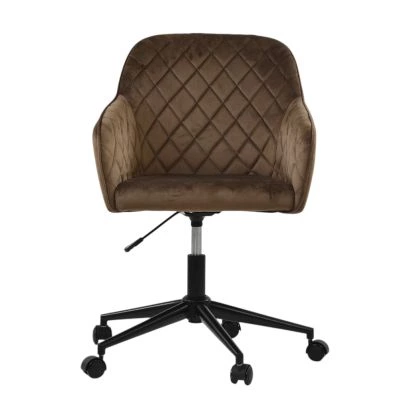
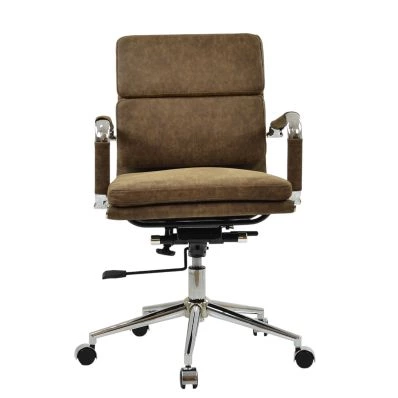 Chester Office Chair in Aged Brown LeatherSpecial Price £129.99 Regular Price £179.99 Original price 28% Inc VATSaving £50
 -
-
-

-
-
-
-
-
For broader comparison options and office seating categories, browse: our handy blog.


Comments