
 Chat with us on WhatsApp

Ergonomic Features Explained: What Really Matters in an Office Chair
Buying an office chair often feels more complicated than it should. Product descriptions are filled with technical terms, adjustment mechanisms and ergonomic claims, yet many buyers still end up with a chair that feels uncomfortable after a few weeks of use.
The reality is that not every ergonomic feature has the same impact. Some adjustments make a noticeable difference to comfort, posture and long-term support. Others are useful for specific users but matter far less than marketing materials suggest.
This guide explains which ergonomic office chair features genuinely matter, how they work together, and how to decide which ones are worth prioritising. The goal is not to help you buy the most expensive chair. It is to help you understand which features improve comfort, support and fit for the way you actually work.
If you are comparing different seating options, you can also browse Lakeland's office chairs collection to see how these features appear across different chair styles.
What Does Ergonomic Actually Mean?
An ergonomic chair is designed to support the body in a more natural seated position while allowing movement throughout the day.
Good ergonomics is not about forcing perfect posture. It is about reducing unnecessary strain on the lower back, shoulders, neck and hips while making it easier to sit comfortably for longer periods.
A chair does not become ergonomic simply because the word appears in the product title. The most important factor is whether the chair allows the user to adjust key areas of support to match their body dimensions.
The best ergonomic chairs focus on:
- Supporting the natural curve of the spine
- Keeping feet flat on the floor
- Reducing pressure behind the knees
- Supporting the arms without raising the shoulders
- Encouraging movement rather than locking the body in one position
Guidance from the UK's Health and Safety Executive also highlights the importance of adjustable seating and workstation setup when working at a desk.
The Four Ergonomic Features That Matter Most
Many office chairs advertise dozens of features. In practice, four adjustments have the greatest impact on comfort and support.
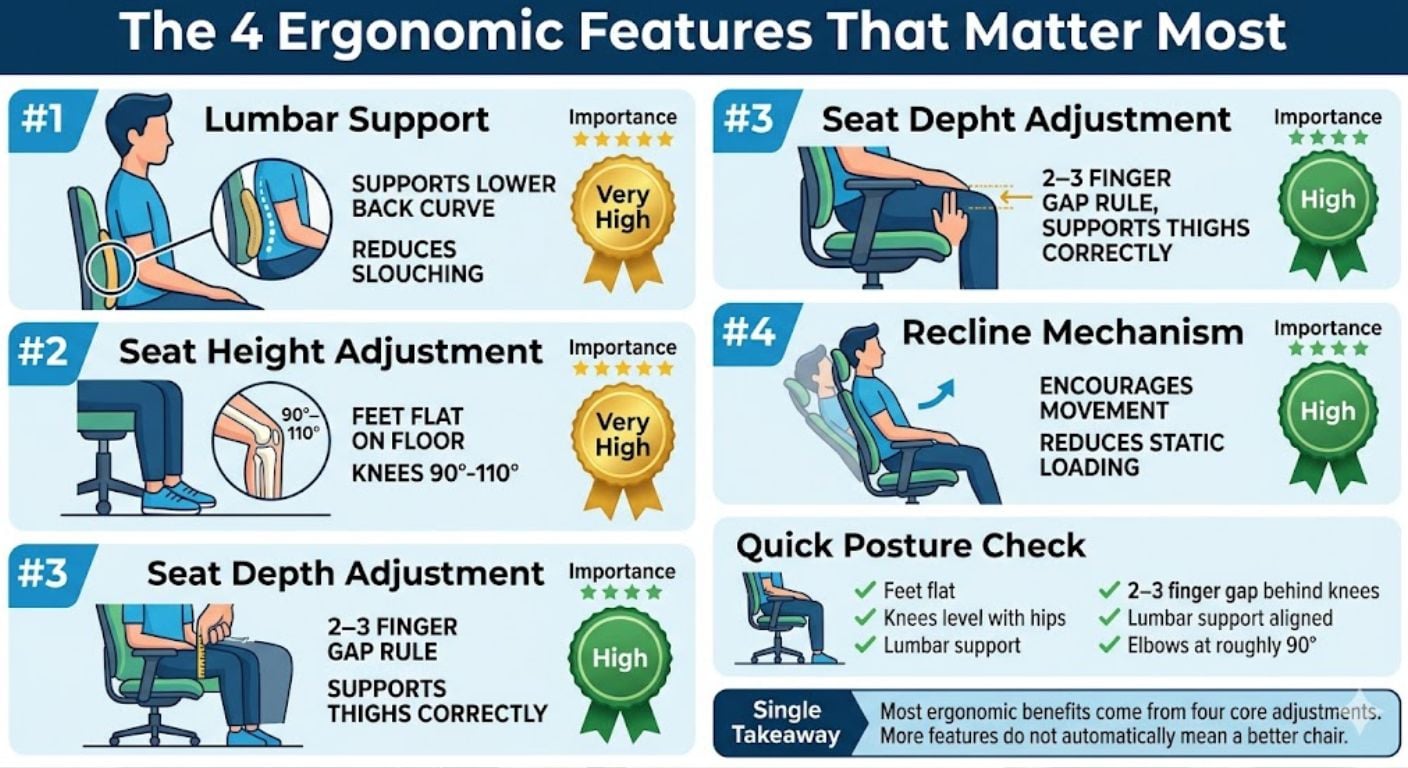
1. Lumbar Support
Lumbar support is the feature most closely associated with ergonomic seating.
The lumbar region refers to the lower back. This area naturally curves inward. When a chair fails to support this curve, many people gradually slump forward, increasing strain on the spine and surrounding muscles.
Good lumbar support helps maintain the natural shape of the lower back.
Look for:
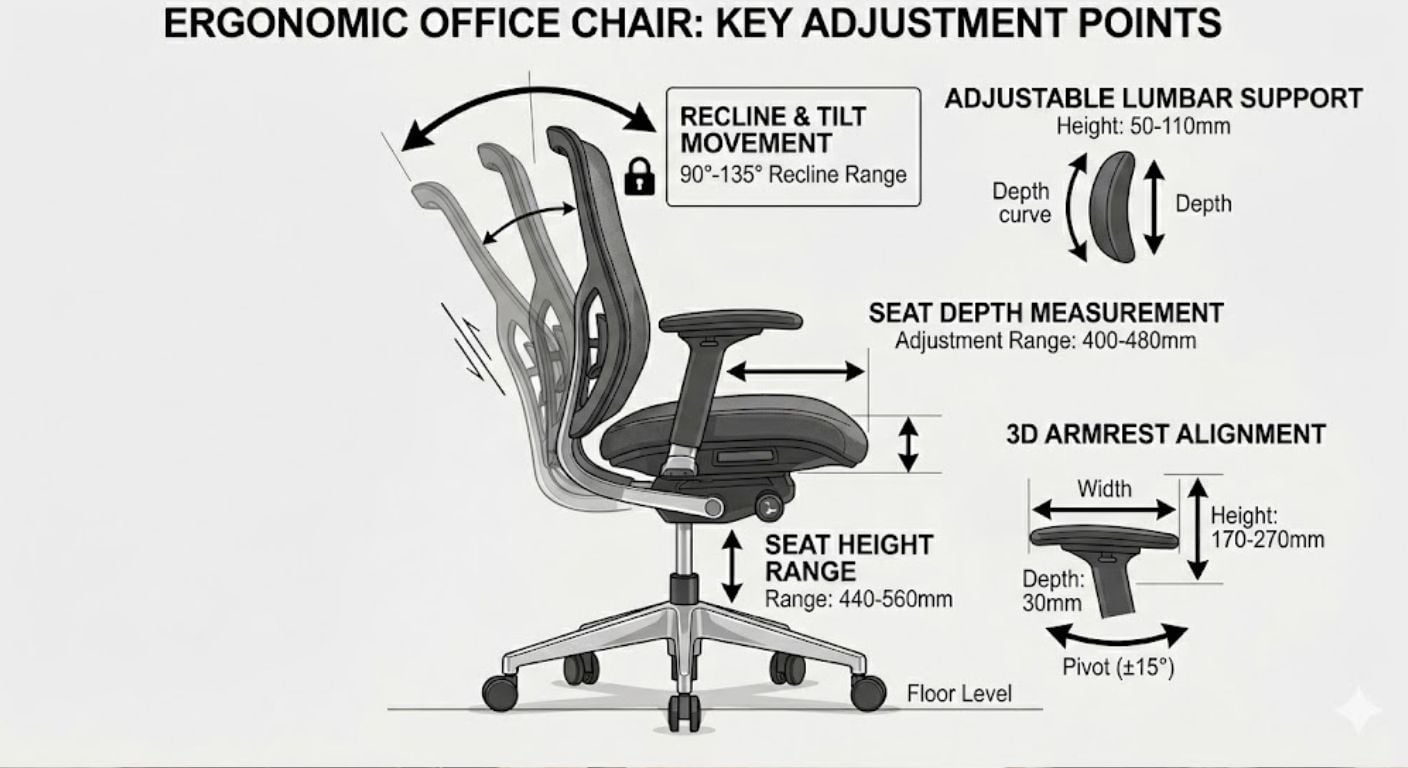
- Adjustable lumbar height
- Adjustable lumbar depth
- Contoured backrests
- Firm but not aggressive support
The support should sit roughly at the natural inward curve of the lower back rather than against the waist or upper back.
For a deeper explanation of how lumbar support works, see our guide on lumbar support and why it matters.
2. Seat Height Adjustment
Seat height adjustment is arguably the most important ergonomic feature because it affects the entire sitting position.
When seat height is correct:
- Feet remain flat on the floor
- Knees sit roughly level with the hips
- Weight distributes evenly
- Pressure under the thighs is reduced
Most adults need a seat height somewhere between 43cm and 55cm.
As a general rule:
- Knees should sit between 90° and 110°
- Feet should remain fully supported
- Shoulders should stay relaxed while typing
If the chair height cannot be adjusted correctly, every other ergonomic feature becomes less effective.
3. Seat Depth Adjustment
Seat depth receives far less attention than lumbar support but often has a huge impact on comfort.
Seat depth refers to the distance from the front edge of the seat to the backrest.
A seat that is too deep can:
- Push against the back of the knees
- Restrict circulation
- Encourage slouching
A seat that is too shallow can:
- Reduce thigh support
- Concentrate pressure on the hips
- Feel unstable
A useful rule is the two-to-three finger gap.
When seated fully back in the chair, you should be able to fit two or three fingers between the seat edge and the back of your knees.
This becomes particularly important for taller users and anyone experiencing discomfort around the hips or lower back.
4. Recline and Tilt Mechanisms
Many people assume sitting perfectly upright all day is ideal. It is not.
Movement is important.
Quality office chairs allow controlled recline because changing posture reduces continuous pressure on the spine and surrounding muscles.
Useful recline features include:
- Multi-position tilt lock
- Adjustable recline tension
- Synchro-tilt mechanisms
- Weight-responsive recline
Synchro-tilt is often considered one of the best systems because the backrest reclines faster than the seat base, helping maintain foot contact with the floor while encouraging movement.
We regularly find that our customers focus heavily on backrest shape when buying, but after a few months the feature they talk about most is whether the chair reclines comfortably throughout the working day.
Why Adjustable Armrests Matter More Than People Think
Armrests are often viewed as a comfort feature rather than an ergonomic one.
In reality, properly adjusted armrests help reduce tension throughout the upper body.
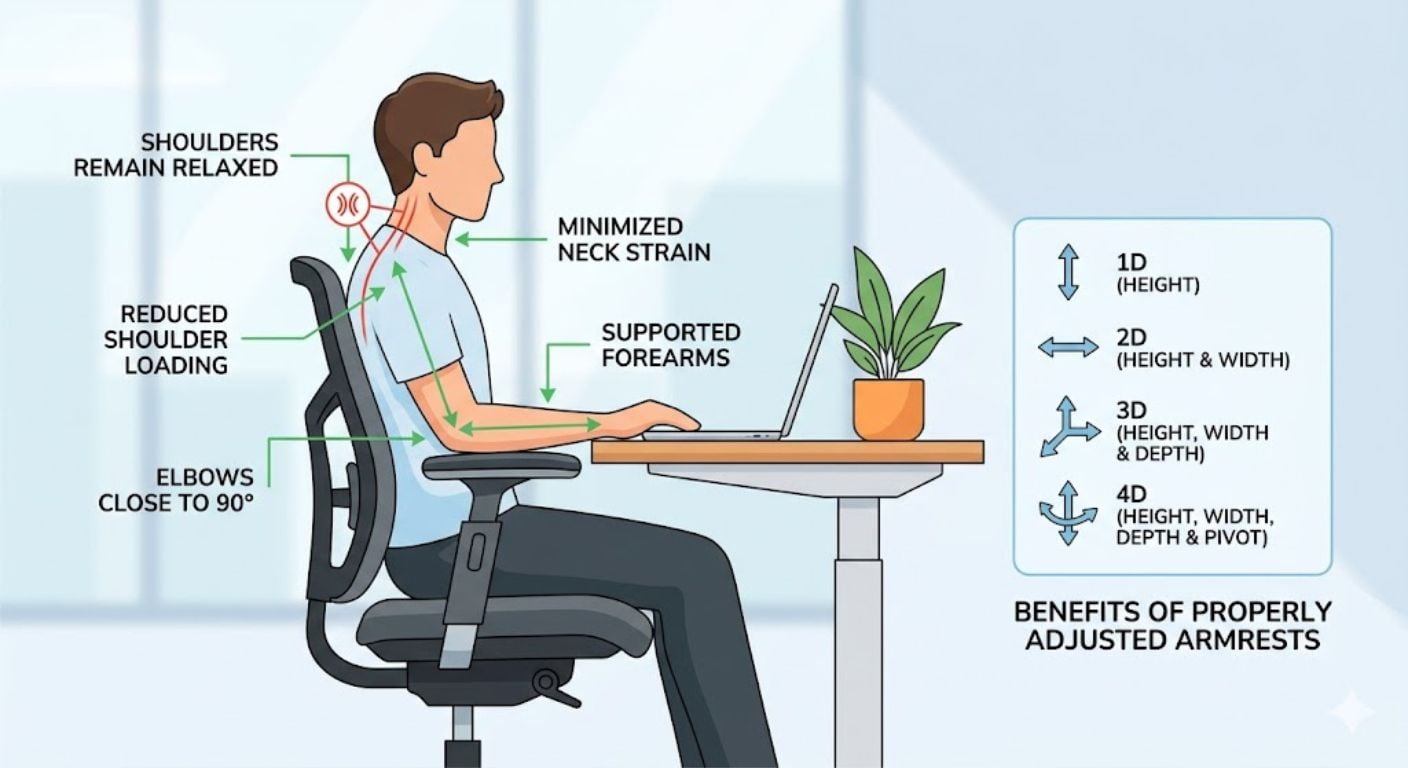
Correctly positioned armrests:
- Support the forearms
- Reduce shoulder loading
- Minimise neck strain
- Encourage relaxed posture
Ideally:
- Elbows sit close to 90°
- Shoulders remain relaxed
- Forearms are lightly supported
| Type | Adjustment |
|---|---|
| Fixed | No adjustment |
| 1D | Height only |
| 2D | Height and width |
| 3D | Height, width and depth |
| 4D | Height, width, depth and pivot |
Most home office users benefit from simple height-adjustable armrests. Full 4D systems are useful but rarely essential.
Does a Headrest Matter?
For many users, no.
Headrests are often marketed as essential ergonomic features, but their usefulness depends heavily on how the chair is used.
A headrest can help if:
- You frequently recline
- You spend long periods reading
- You regularly lean back during calls
A headrest matters less if:
- You sit upright most of the day
- You work close to multiple monitors
- You constantly move between tasks
For many home office setups, lumbar support and seat adjustment will have a much greater impact than a headrest.
Does Chair Material Affect Ergonomics?
Yes, but indirectly.
Material affects temperature regulation, pressure distribution and comfort rather than posture itself.
Mesh
Mesh allows airflow and remains popular with users who become warm while working.
Advantages:
- High breathability
- Good airflow
- Lower heat build-up
For a detailed comparison, see our guide on mesh versus leather office chairs.
Leather and Faux Leather
Leather-style finishes provide a more traditional appearance and are usually easier to wipe clean.
Advantages:
- Easy maintenance
- Structured appearance
- Durable surface
Read more in our guide to leather office chairs and daily use.
Velvet
Velvet offers a softer seating experience and a warmer feel compared with mesh.
Advantages:
- Soft touch
- Comfortable surface
- Decorative appearance
For maintenance considerations, see our guide to velvet office chairs.
Boucle
Boucle has become increasingly popular in home offices because it softens the appearance of workspace furniture.
Before choosing this material, review our guide covering boucle office chair durability and maintenance.
Is a Soft Office Chair Best for Back Pain?
No. Very soft seating often feels comfortable during the first few minutes but may provide less support during longer periods of use.
When a seat allows excessive sinking:
- The pelvis can rotate backwards
- Slouching becomes more likely
- Lower back support becomes less effective
A supportive seat with controlled cushioning is usually preferable to sofa-style softness.
The goal is support combined with pressure distribution, not maximum softness.
How Ergonomic Features Work Together
One common buying mistake is focusing on a single specification.
Ergonomics works as a system.
For example:
- Correct seat height supports proper leg position.
- Proper seat depth supports the thighs.
- Good lumbar support stabilises the spine.
- Armrests reduce upper-body strain.
- Recline mechanisms encourage movement.
If one element is significantly wrong, the benefits of the others can be reduced.
This is why two chairs with similar-looking backrests can feel completely different after several hours of use.
Choosing Features Based on How You Work
If You Work Less Than Four Hours Per Day
Prioritise:
- Basic height adjustment
- Comfortable padding
- Stable frame
Complex ergonomic adjustments may be less important.
If You Work Six to Eight Hours Per Day
Prioritise:
- Lumbar support
- Height adjustment
- Recline mechanism
- Adjustable armrests
These features provide the biggest day-to-day benefits.
If You Frequently Experience Lower Back Discomfort
Prioritise:
- Adjustable lumbar support
- Seat depth adjustment
- Multiple recline positions
These adjustments provide greater control over support and posture.
If You Get Hot While Working
Prioritise:
- Breathable mesh backs
- Open-frame designs
- Lower heat-retention materials
If You Are Tall
Prioritise:
- Higher backrests
- Larger seat depth ranges
- Greater seat-height adjustment
Fit becomes more important than additional features.
The 5-Step Posture Check
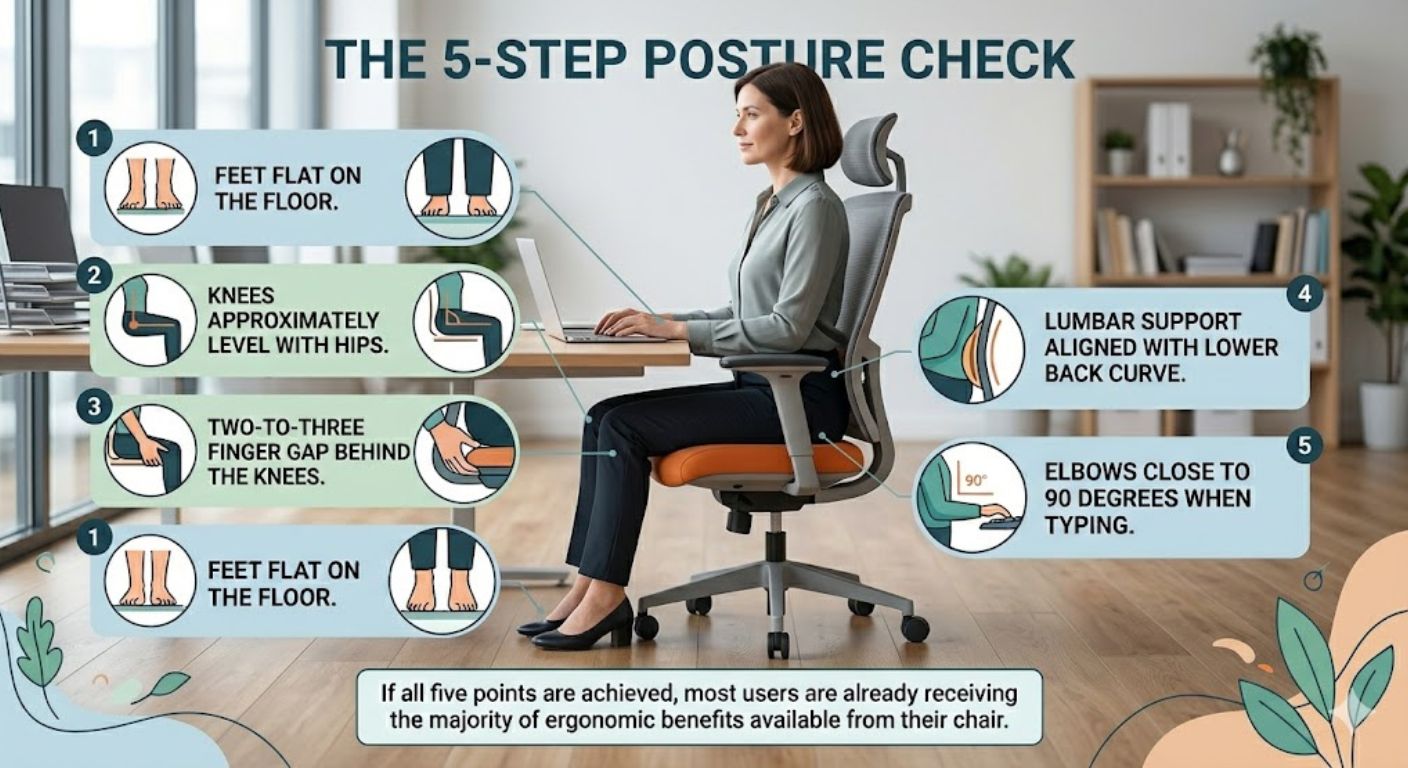
Regardless of chair type, use this quick setup check:
- Feet flat on the floor.
- Knees approximately level with hips.
- Two-to-three finger gap behind the knees.
- Lumbar support aligned with the lower back curve.
- Elbows close to 90 degrees when typing.
If all five points are achieved, most users are already receiving the majority of ergonomic benefits available from their chair.
Common Ergonomic Buying Mistakes
Buying Based on Appearance Alone
A chair can look supportive without actually fitting your body dimensions.
Prioritising Headrests Over Core Adjustments
Seat height and lumbar support usually matter more.
Ignoring Seat Depth
Poor seat depth is a common cause of discomfort, particularly for taller users.
Assuming More Features Means Better Ergonomics
A chair with ten adjustments is not automatically better than a chair with four well-designed adjustments.
Focusing Only on Back Support
Ergonomics involves the entire sitting position, not just the backrest.
Frequently Asked Questions
Are ergonomic chairs actually worth it?
Yes, if the adjustments match your body and working habits. The value comes from proper fit rather than the word "ergonomic" itself.
Are ergonomic chairs good for your back?
They can be. Adjustable support, proper seat height and controlled recline can help maintain more comfortable sitting positions throughout the day.
What features should I look for in an office chair?
Prioritise lumbar support, seat height adjustment, seat depth adjustment and a quality recline mechanism before considering secondary features.
How long should a quality office chair last?
A well-built office chair can often last 8-12 years or more in domestic use. Lower-quality chairs commonly show wear significantly earlier through foam compression, mechanism wear or frame movement.
Are office chairs supposed to lean back?
Yes. Controlled recline is considered beneficial because it encourages movement and reduces continuous loading on the spine.
Is lumbar support really that important?
For many users, yes. Correct lumbar support helps maintain the natural curve of the lower back and can reduce slouching over longer periods.
-
-
-
-
-
-
-

-
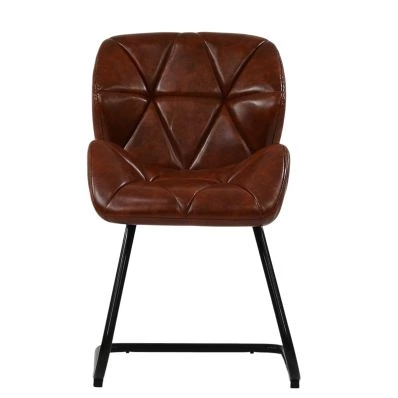
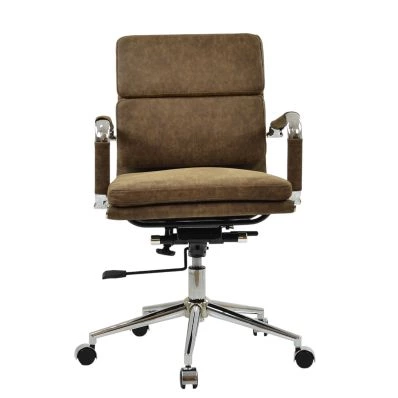 Chester Office Chair in Aged Brown LeatherSpecial Price £119.99 Regular Price £179.99 Original price 33% Inc VATSaving £60
 -
-
-
-
Summary: What Really Matters
The ergonomic features that typically have the biggest impact are:
- Adjustable lumbar support
- Seat height adjustment
- Seat depth adjustment
- Quality recline mechanism
- Properly positioned armrests
Remember these practical rules:
- Feet flat on the floor
- Knees between 90° and 110°
- Two-to-three finger gap behind knees
- Lower back supported naturally
- Movement encouraged throughout the day
Common mistakes to avoid:
- Buying purely on appearance
- Choosing softness over support
- Ignoring seat depth
- Overvaluing headrests
- Assuming more adjustments automatically means better ergonomics
If you are comparing different styles and adjustment levels, browse Lakeland's range of office chairs to see how these ergonomic features vary across different chair designs.

Related Products
-
-
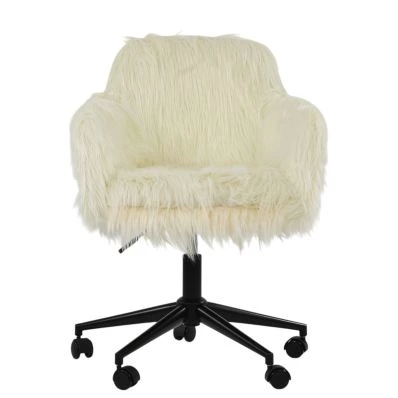
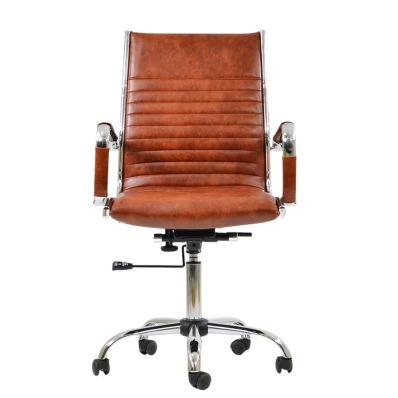
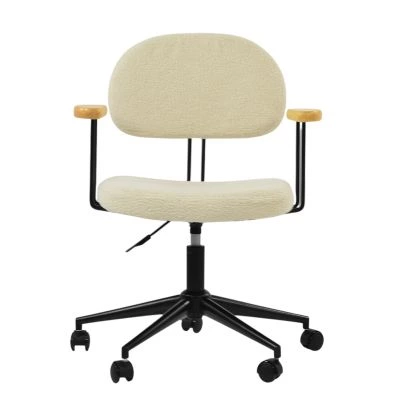 Laxi Office Chair in Cream BoucleSpecial Price £84.99 Regular Price £139.99 Original price 39% Inc VATSaving £55
 -

Comments