
 Chat with us on WhatsApp

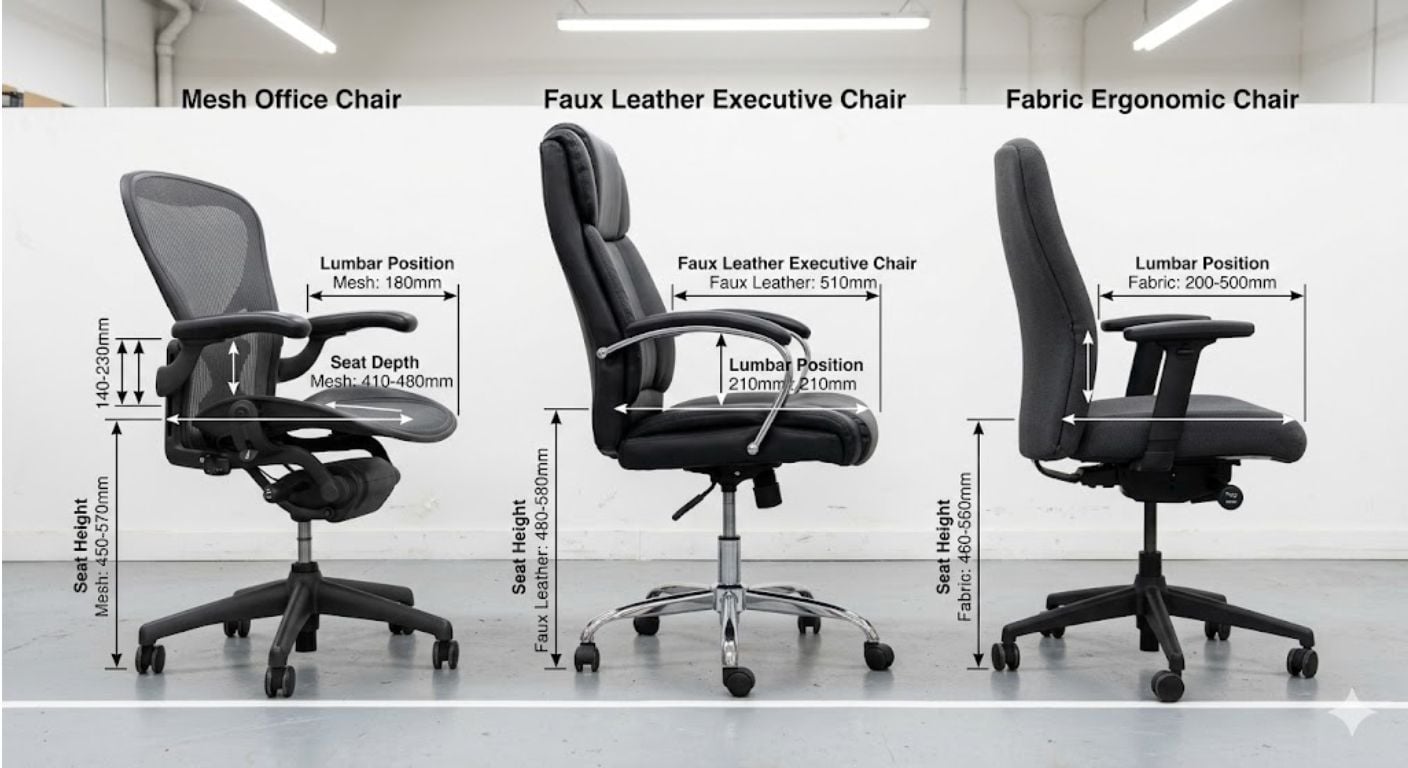
Choosing an office chair is usually harder than people expect because comfort problems often come from fit rather than softness. A chair can feel supportive for ten minutes in a showroom but become uncomfortable after several hours at a desk if the seat height, seat depth, arm position, or back support do not match the user properly.
The right office chair depends on four things: how long you sit each day, your body size, the type of flooring and desk setup you use, and whether the chair needs to suit a dedicated office or a shared room in the home. Material choice also matters because heat build-up, breathability, and cleaning requirements vary significantly between mesh, leather, and fabric designs.
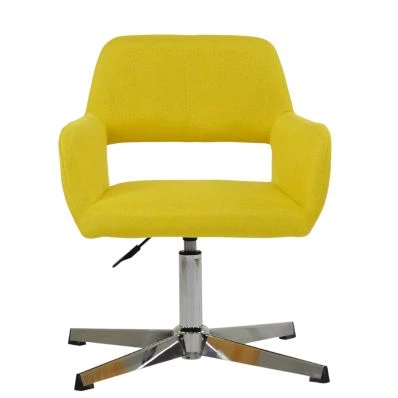
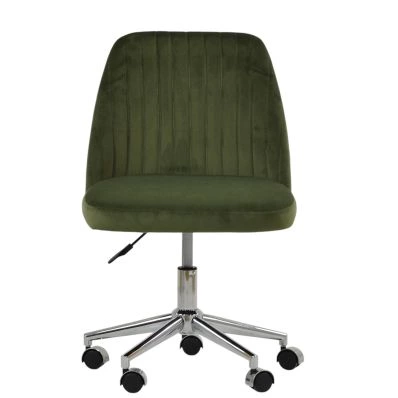
This guide explains how to choose an office chair based on measurements, adjustability, room layout, and practical day-to-day use. It covers seat sizing, support features, materials, movement types, and common buying mistakes so you can narrow down the right type of chair before comparing specific models. If you are browsing modern home office seating, Lakeland’s range of office chairs covers fixed, swivel, wheeled, and upholstered designs for different room setups and working patterns.
Start With How Many Hours You Sit Each Day
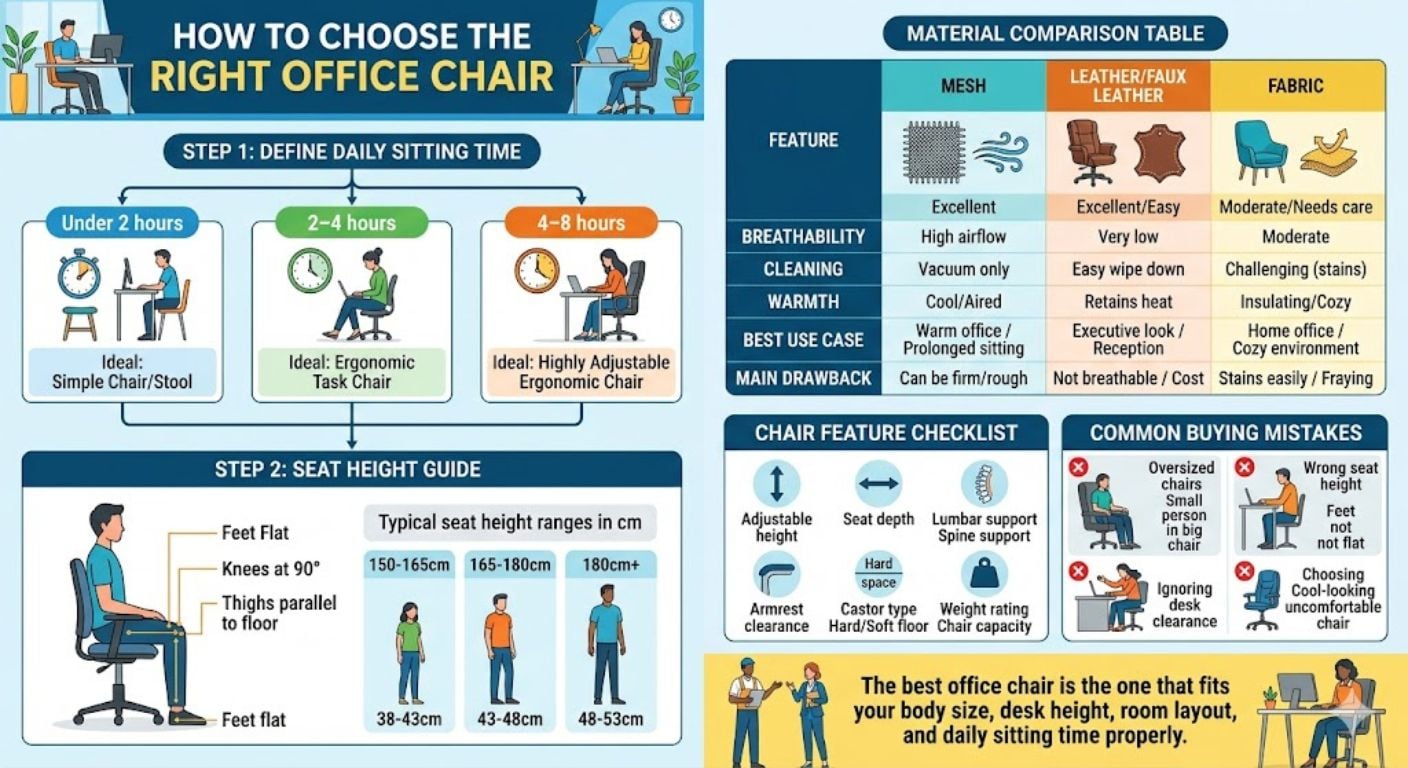
The amount of time you spend sitting is one of the biggest factors in choosing the best office chair. Short daily use places different demands on a chair compared with full-time desk work.
Under 2 Hours Per Day
If the chair is mainly used for occasional admin, checking emails, or short study sessions, you usually do not need highly adjustable mechanisms. A fixed-height or lightly adjustable office chair with moderate padding is often enough.
In these setups, appearance and room integration may matter more than advanced movement features. Many buyers working from kitchens, spare rooms, or shared living spaces prefer compact chairs with cleaner silhouettes. Articles such as office chairs that do not look like office chairs explore this type of setup in more detail.
4–8 Hours Per Day
Longer sitting periods require better support and more adjustment range. The chair should allow:
- Height adjustment
- Stable lower back support
- Enough seat depth for thigh support
- Arm positioning that aligns with desk height
- Movement while seated
If you work from home full-time, the chair should support posture changes throughout the day rather than locking you into one fixed position.
One thing we regularly see is customers prioritising thick padding over adjustment range, then realising later that posture support matters more after several hours of use.
For extended desk work, seat depth and arm positioning usually affect comfort more than people expect. Lakeland’s guide to office chairs for long hours explains these features in greater detail.
Choose The Correct Seat Height
Seat height affects posture, leg position, and pressure behind the knees. Incorrect height is one of the most common causes of discomfort.
For most adults, the correct seated position should allow:
- Feet flat on the floor
- Knees close to a 90-degree angle
- Thighs supported without pressure underneath
- Elbows level with the desk surface
Most office chairs use gas-lift height adjustment systems with seat height ranges between approximately 45–55cm.
If you are shorter, the minimum seat height matters more than the maximum. Many shorter users struggle with chairs where the lowest setting still leaves their feet unsupported.
As a rough guide:
| User Height | Recommended Minimum Seat Height |
|---|---|
| Under 5ft 4 | Around 40–44cm |
| 5ft 5–5ft 10 | Around 45–50cm |
| Over 6ft | Around 50cm+ |
If you need more detailed setup guidance, the office chair height guide explains correct desk and elbow positioning.
Seat Depth Matters More Than Most Buyers Expect
Seat depth affects how much thigh support the chair provides. If the seat is too shallow, the legs feel unsupported. If it is too deep, the seat edge presses into the back of the knees.
A good fit normally leaves a gap of around 5–8cm between the seat edge and the back of the knees.
People with shorter legs often struggle with oversized office chairs because the seat pan forces them to perch forward rather than sitting fully back against the backrest.
For taller users, shallow seats can create pressure points under the thighs during longer sessions.
This is one reason why large executive chairs do not automatically suit every buyer. Bigger dimensions are not always better if the proportions do not match the user properly.
What Is Lumbar Support?
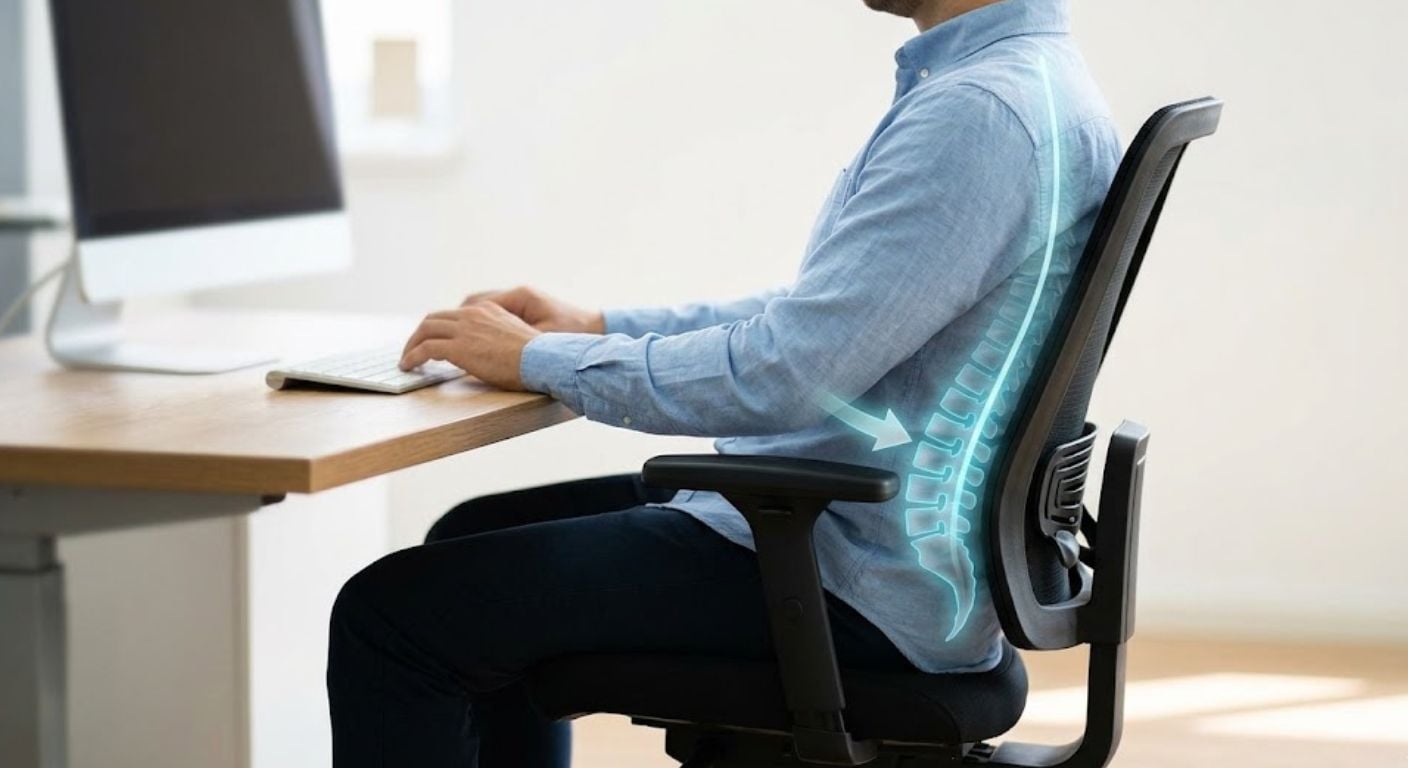
Lumbar support is a feature designed to support the natural inward curve of the lower back while seated. It helps reduce slouching and keeps the spine in a more neutral position during desk work.
The lower back naturally curves inward. Without support in this area, many users lean forward or round their shoulders after sitting for extended periods.
Good lumbar support should sit roughly in line with the belt line rather than pressing too high into the mid-back.
Some office chairs use fixed lumbar shaping, while others allow height or depth adjustment. Neither is automatically better. The key factor is whether the support aligns correctly with the user’s body.
Avoid choosing chairs purely because they advertise large numbers of support zones or adjustment points. If the support positioning does not fit your body shape properly, additional mechanisms make little difference.
For a more detailed breakdown of lumbar positioning and support types, see Back Support Explained: Lumbar, Tilt & Seat Depth Simplified.
According to the UK’s Health and Safety Executive, workstation seating should support comfortable posture and allow position changes throughout the working day.
Mesh, Leather, Or Fabric?
Material choice affects heat retention, maintenance, appearance, and long-term comfort.
Mesh Office Chairs
Mesh chairs prioritise airflow and ventilation. They are often preferred in:
- Warm rooms
- Smaller home offices
- Long working sessions
- Poorly ventilated spaces
Mesh usually feels cooler during extended use because air passes through the backrest.
Potential drawbacks:
- Less plush feel
- Some cheaper mesh materials sag over time
- Can feel firm compared with padded upholstery
Leather Office Chairs
Leather and faux leather office chairs create a more padded and structured feel. They are commonly chosen for:
- Executive-style desks
- Home offices used occasionally
- Easier wipe-clean maintenance
Potential drawbacks:
- Heat retention
- Less breathable during summer
- Lower-quality faux leather can peel over time
Fabric Office Chairs
Fabric upholstery sits between mesh and leather in terms of warmth and softness.
Benefits:
- Softer seating feel
- Wide colour and texture range
- Usually warmer in winter
Drawbacks:
- Can absorb dust and spills more easily
- Often requires more cleaning maintenance
| Material | Best For | Main Strength | Main Trade-Off |
|---|---|---|---|
| Mesh | Long hours | Breathability | Firmer feel |
| Leather/Faux Leather | Easier cleaning | Structured support | Heat retention |
| Fabric | Mixed home use | Softer seating | More maintenance |
Swivel, Fixed, Wheels, Or Glides?
Movement type affects both comfort and practicality.
Swivel Chairs
Swivel office chairs allow easier movement between screens, desks, and work surfaces. They suit:
- Multi-monitor setups
- Shared desks
- Larger workstations
- Frequent movement while seated
Lakeland’s guide to swivel vs fixed office chairs explains when movement features become useful rather than unnecessary.
Fixed Chairs
Fixed office chairs reduce movement and usually create a cleaner appearance. They are often used in:
- Compact home offices
- Dressing table setups
- Occasional-use desks
Wheeled Office Chairs
Castors improve mobility but work best when matched correctly to flooring type.
Hard wheels suit carpets better. Softer PU castors normally perform better on wood, laminate, or tiled floors.
Office Chairs Without Wheels
Some buyers specifically avoid wheels because of limited room size or floor protection concerns. Office chairs without wheels are often better suited to dining-style desk arrangements or rooms where the chair remains mostly stationary.
Consider Your Room Size Before Buying
Large office chairs can overwhelm smaller rooms surprisingly quickly.
Before buying, check:
- Overall chair width
- Backrest height
- Armrest clearance
- Whether the chair fits under the desk
- Wheel movement space
In compact home offices, oversized high-back chairs often restrict movement more than expected.
If the desk sits inside a bedroom or shared living area, visually lighter designs can make the room feel less crowded.
Buyers using small desks should also check whether armrests prevent the chair sliding underneath properly.
Office Chair Weight Capacity And User Size
Weight limits matter because they affect structural durability and long-term stability.
Most standard office chairs support approximately:
- 100–120kg as standard
- Heavy-duty models often support 130kg+
Taller users should also check:
- Backrest height
- Seat depth
- Armrest width
- Base stability
Shorter users should prioritise:
- Lower minimum seat heights
- Shallower seat pans
- Adjustable arm positioning
This is particularly important when buying online because large dimensions can sound appealing but create poor posture if the proportions are wrong.
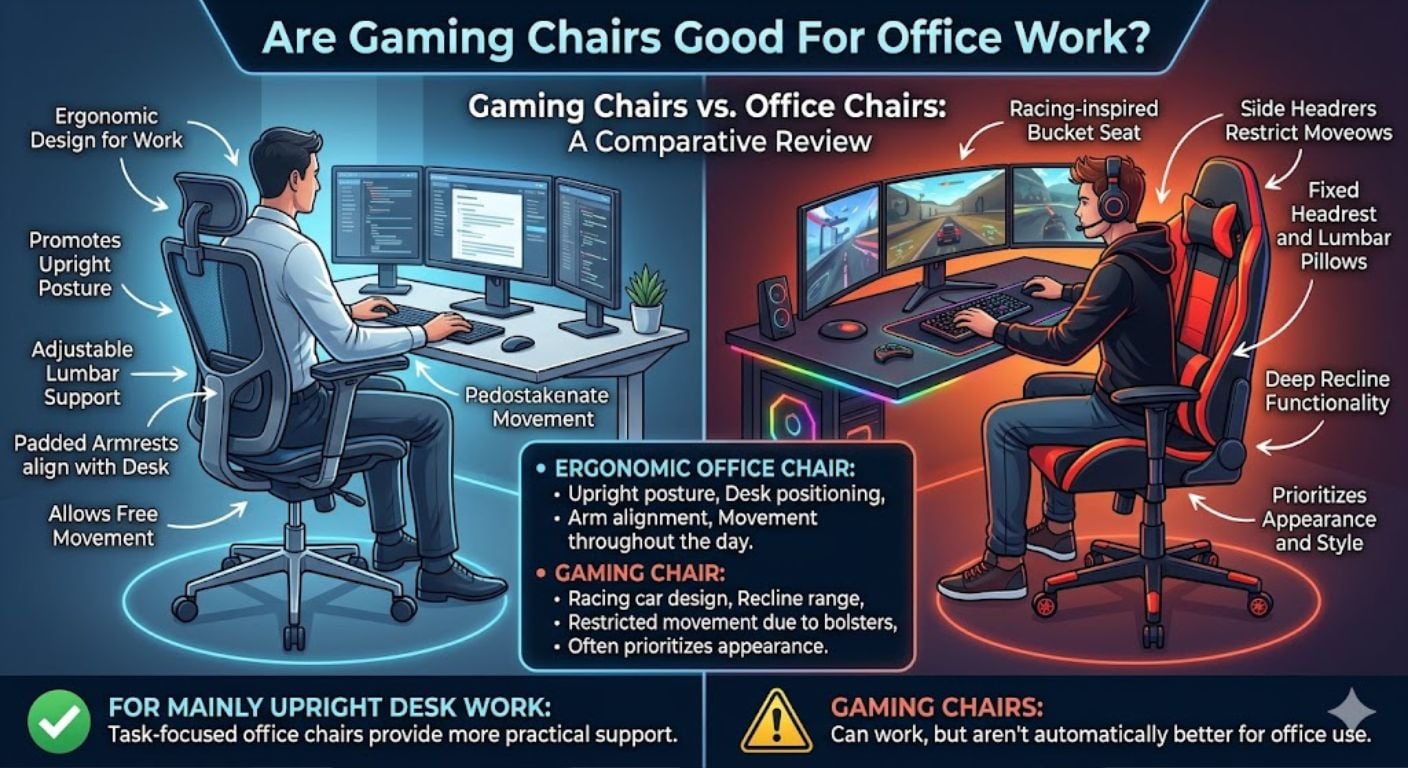
Are Gaming Chairs Good For Office Work?
Gaming chairs can work for office use, but they are not automatically better than dedicated office seating.
Many gaming chairs use bucket-style seats inspired by racing car designs. These side bolsters can restrict movement during long desk sessions.
Office chairs are usually designed around:
- Upright posture
- Desk positioning
- Arm alignment
- Movement throughout the day
Gaming chairs often prioritise appearance and recline range instead.
If you mainly work upright at a desk, task-focused office chairs generally provide more practical support.
The 60-Second Office Chair Setup
How Do You Adjust An Office Chair Properly?
A correctly adjusted chair should support the body without forcing awkward angles. Most discomfort comes from incorrect setup rather than the chair itself.
- Sit fully back in the chair
- Adjust height so feet rest flat on the floor
- Keep knees close to 90 degrees
- Leave a small gap behind the knees
- Position armrests level with desk height
- Align lumbar support with the lower back
- Keep screens roughly at eye level
Many posture issues blamed on chairs actually come from desk height or monitor placement instead.
Common Office Chair Buying Mistakes
Buying Based Only On Appearance
Good-looking chairs can still feel uncomfortable after long periods if the measurements are wrong.
Ignoring Seat Dimensions
Seat width and depth affect posture more than most buyers expect.
Choosing Oversized Executive Chairs For Small Rooms
Large chairs can dominate smaller offices and restrict movement.
Assuming Expensive Means Comfortable
Price does not automatically guarantee fit. A mid-range chair with the correct dimensions usually performs better than an oversized premium model that does not suit the user properly.
Not Checking Minimum Seat Height
This is one of the biggest issues for shorter users buying online.
Which Type Of Office Chair Usually Suits Different Buyers?
| User Type | Usually Best Option |
|---|---|
| Full-time home worker | Adjustable mesh or fabric chair |
| Occasional desk use | Compact upholstered chair |
| Small room setup | Armless or fixed compact chair |
| Warm room | Breathable mesh chair |
| Easy-clean priority | Faux leather chair |
| Taller user | Deeper seat and taller backrest |
| Shorter user | Lower minimum seat height |
If you are still narrowing options down, Lakeland’s office chair shortlist and decision tree compares common chair types based on practical use cases.
Frequently Asked Questions
How long should an office chair last?
A good office chair used regularly at home should normally last several years if the frame, gas lift, and upholstery are well made. Mesh may gradually lose tension over time, while lower-grade faux leather can peel earlier under heavy daily use.
Is mesh or leather better for office chairs?
Mesh is usually better for breathability and long working sessions, especially in warmer rooms. Leather or faux leather often feels more padded and structured but retains more heat. The better choice depends on room temperature, sitting duration, and maintenance preference.
What seat height should an office chair be?
Most adults need a seat height somewhere between 45–55cm, but correct fit depends on desk height and leg length. Feet should sit flat on the floor with knees close to a right angle.
Should office chair armrests fit under the desk?
Usually yes. Armrests that hit the desk edge prevent proper positioning and force the user to sit further away from the work surface. Always check armrest height against desk clearance before buying.
Are office chairs without wheels better for wooden floors?
They can be. Fixed-base chairs or chairs with glides reduce rolling movement and may help protect delicate flooring. However, soft PU castors can also work well on hard floors if the chair still needs mobility.
Can an office chair help reduce back discomfort?
A properly fitted chair can support posture better and reduce strain caused by poor sitting position. Seat height, lumbar alignment, and desk setup usually matter more than heavily marketed “orthopaedic” claims.
-
-

-
-
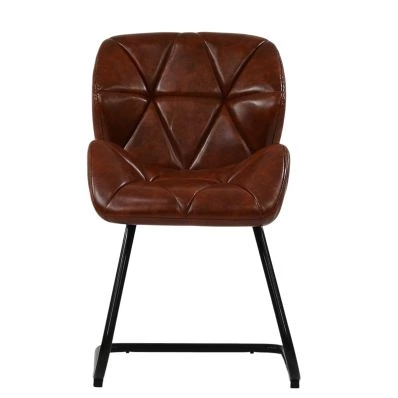
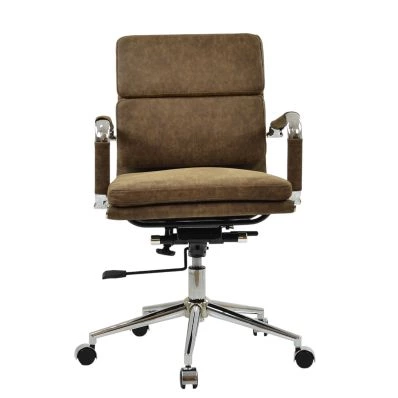 Chester Office Chair in Aged Brown LeatherSpecial Price £129.99 Regular Price £179.99 Original price 28% Inc VATSaving £50
 -
-
-
-
-
-
-
-
Summary: Key Office Chair Buying Rules
- Seat height should allow flat feet and 90-degree knees
- Leave approximately 5–8cm behind the knees
- Match seat depth to leg length
- Choose breathable materials for warm rooms
- Check armrest clearance against desk height
- Prioritise fit over oversized designs
- Match castors to flooring type
- Smaller rooms usually suit more compact chairs
- Long daily use requires better adjustability
Common mistakes:
- Buying based only on appearance
- Ignoring minimum seat height
- Choosing oversized chairs for compact rooms
- Assuming thicker padding means better support
- Forgetting desk clearance measurements
If you are comparing different styles and support levels, Lakeland’s full range of office chairs includes adjustable, fixed, upholstered, swivel, and compact home office seating designed for different room layouts and usage patterns.


Comments